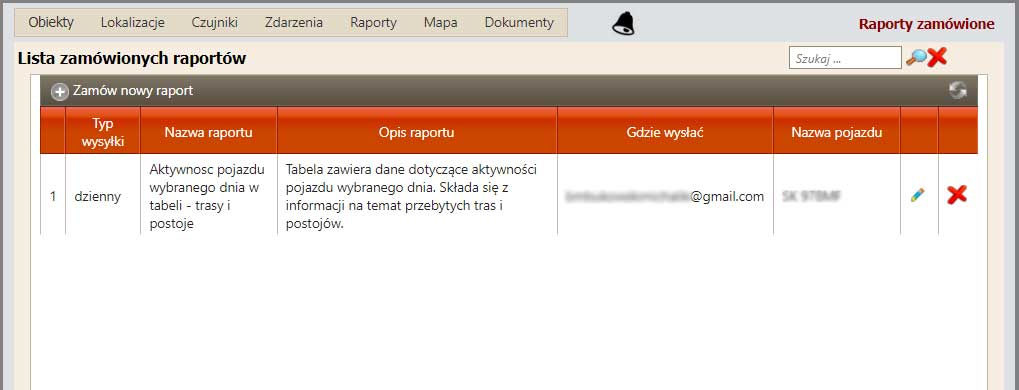
This description refers to the previous version of the application – the screens may look different from the current ones.
There is often a need to send data in the form of an email.
This type of report allows you to:
- Analyse daily vehicle activities presented in a table format
- Analyse weekly vehicle activities presented in a table format
To access this report, log in to the system and then go to:
Menu > Reports > Reports sent by email > List of available reports 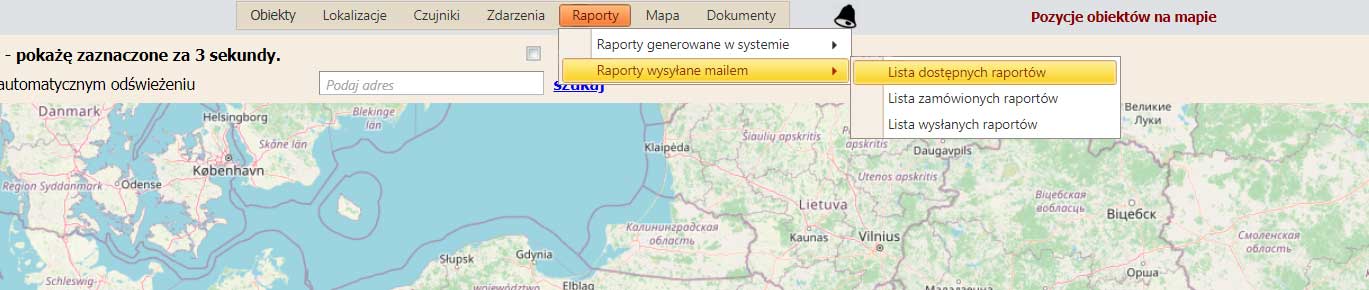
After entering this page, a screen appears containing:
- A section for data in table format
- Time and range selection controls
- List of vehicles
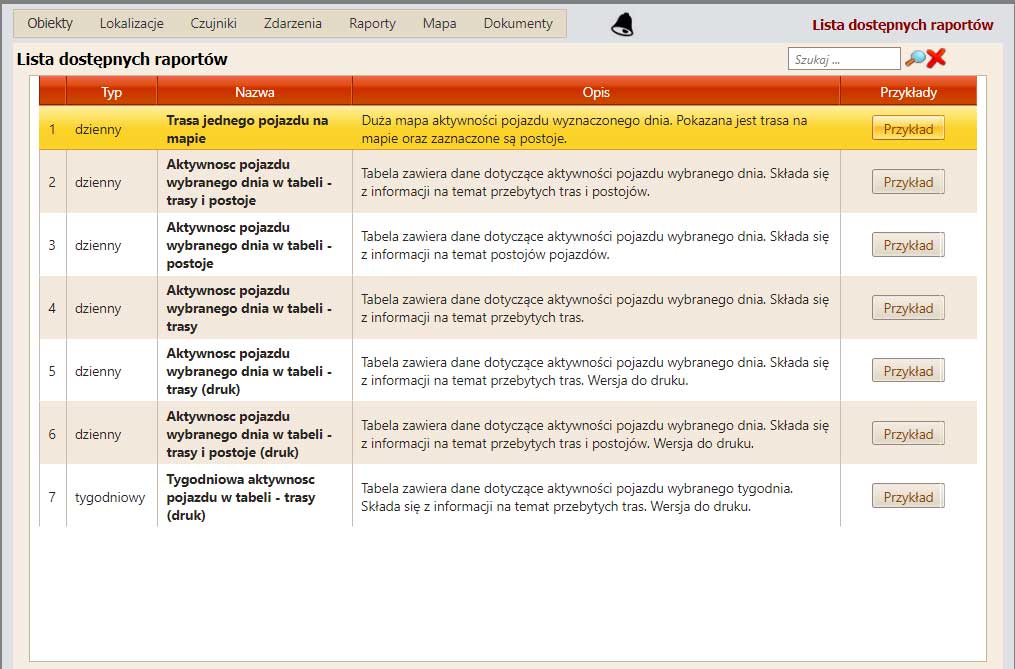
On the generated table, you can see examples containing the types, names, and descriptions of each subsequent report.
To order a report, proceed to:
Menu > Reports > Reports sent by email > List of ordered reports

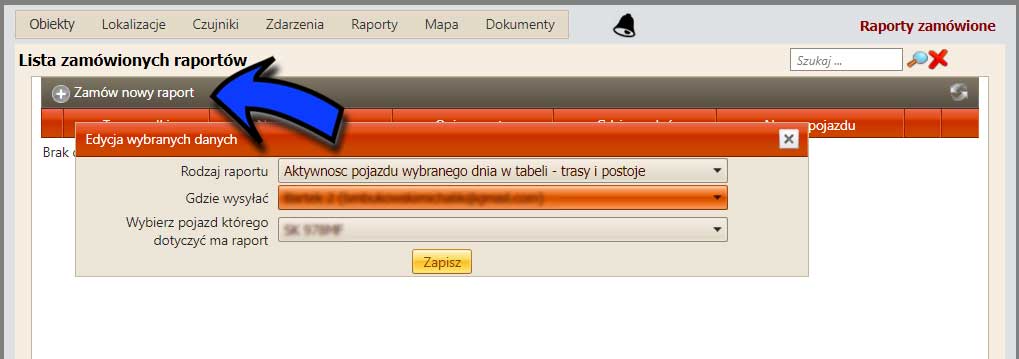
Now, by going to the list of ordered reports, you can order a new report by clicking on the "cross" icon.
An editing window will appear, which you need to fill in.
You should provide the following information: - Type of report (examples are given in the list of available reports)
- Where to send it
- Select the vehicle the report should concern
and then save.
As shown below, a report is generated with the data you wished to obtain.