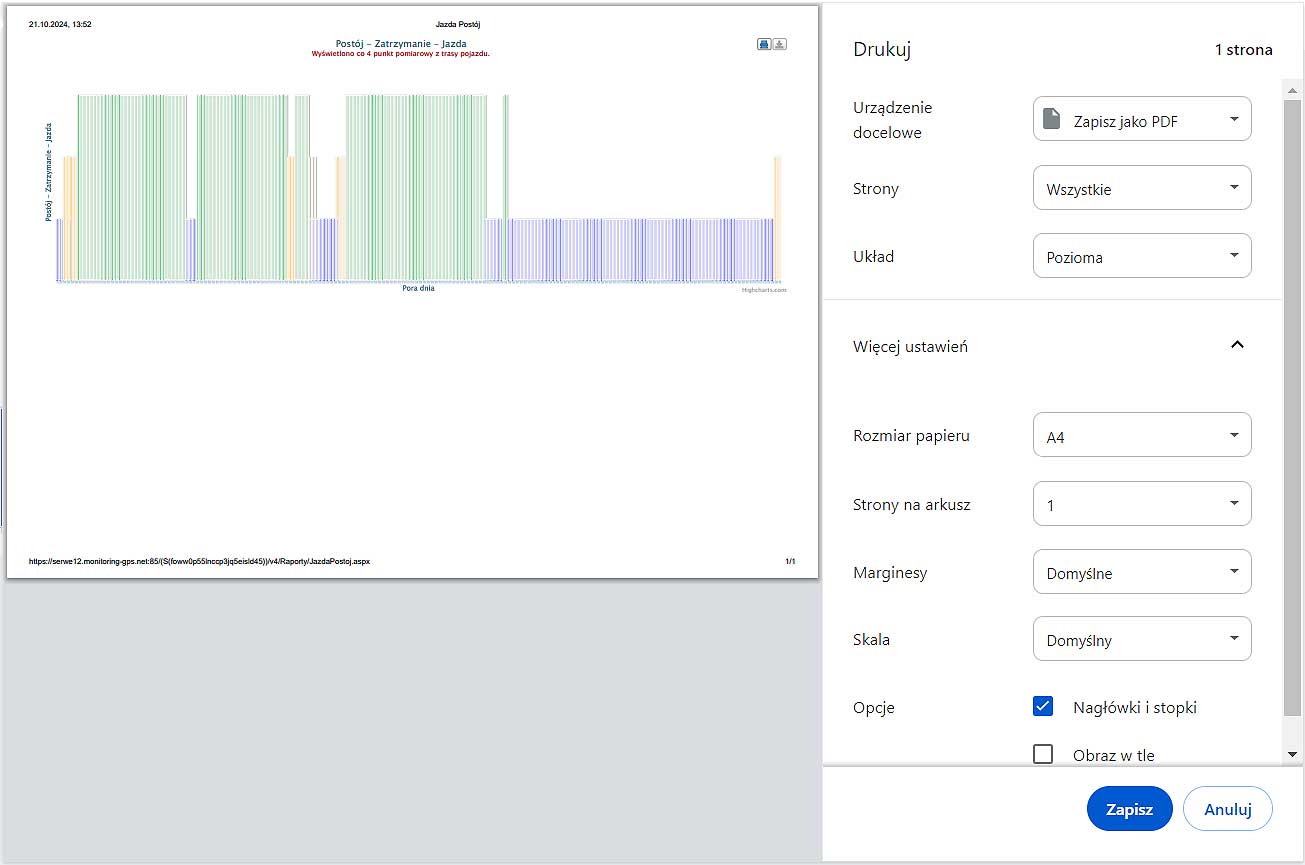
The chart displays a detailed report of the vehicle's daily activity, including driving, stops, and halts.
To begin analysing the vehicle activity report, you must first log in to our GPS tracking software.
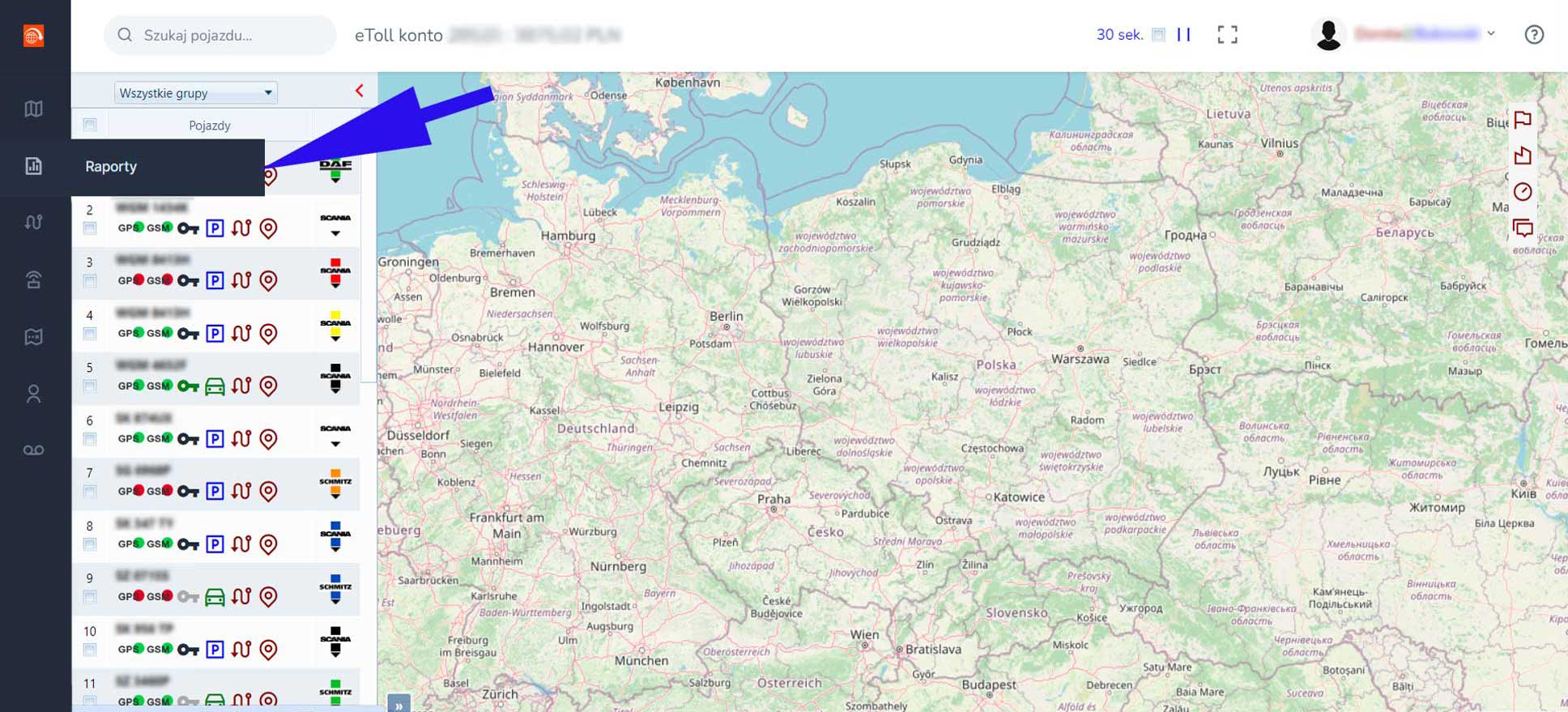
On the left-hand side, select the "Reports" ("Raporty") tab from the navigation bar.
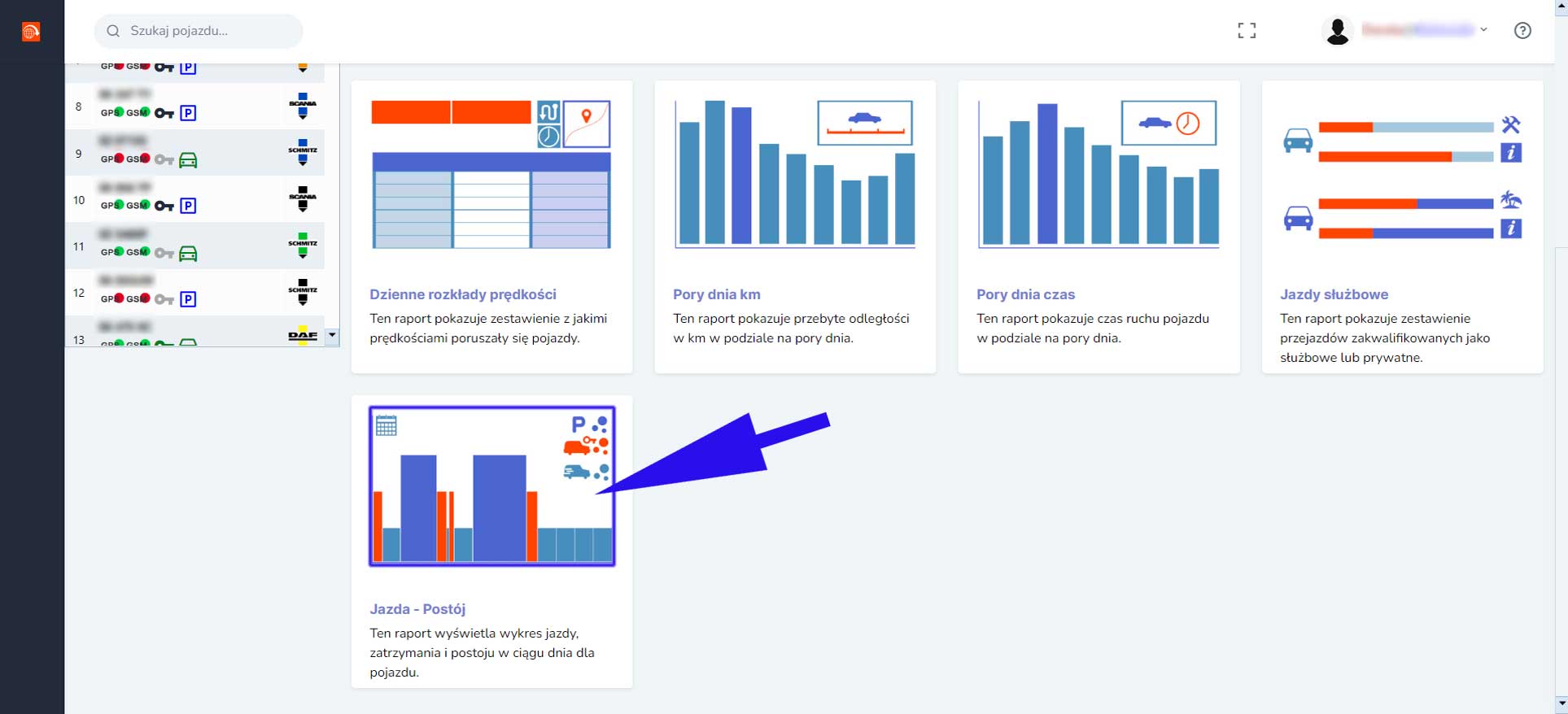
Next, click on the "Drive - Stop" ("Jazda - Postój") tile.
Now set the report's time range. Select the day for which the chart will be generated.
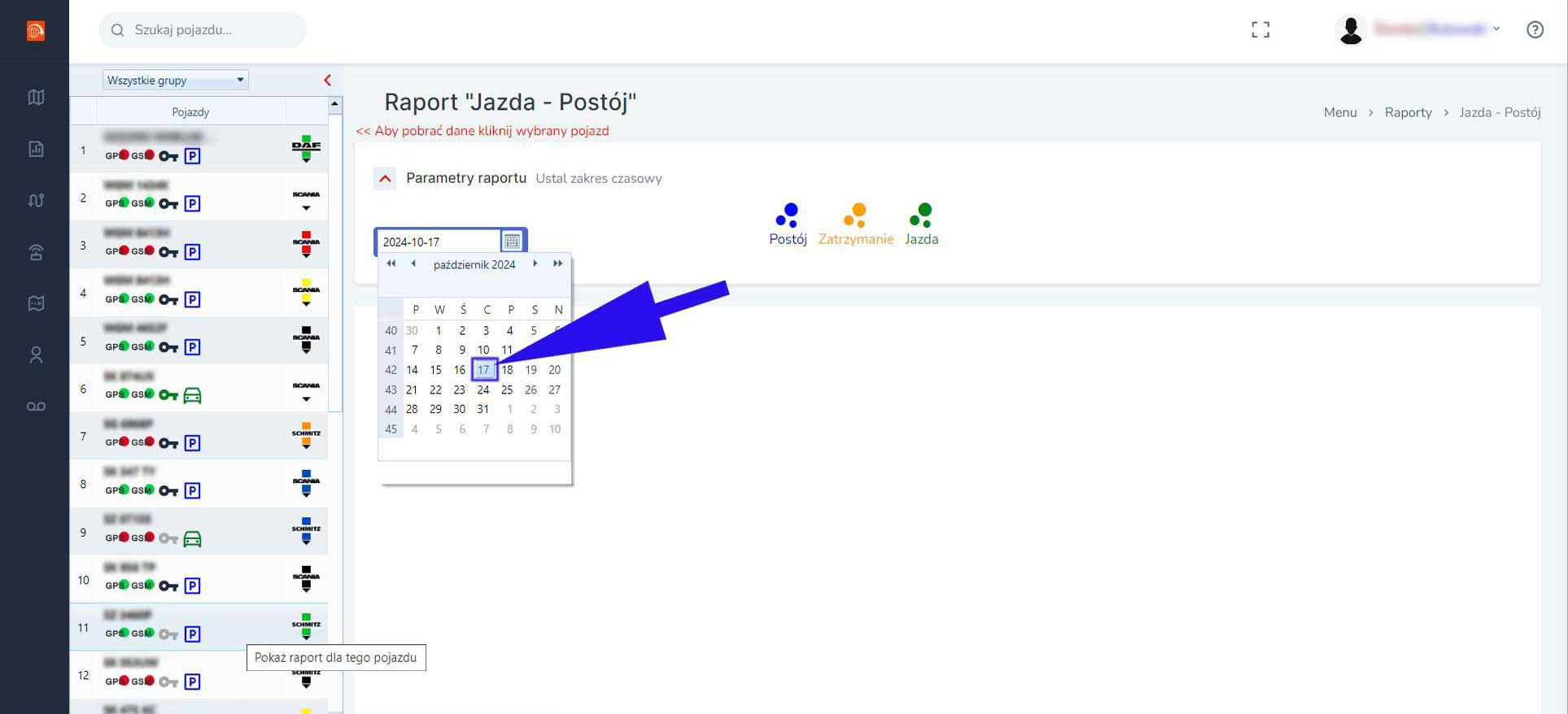
Then select the vehicle for which you wish to view the report from the list on the left side of the screen.
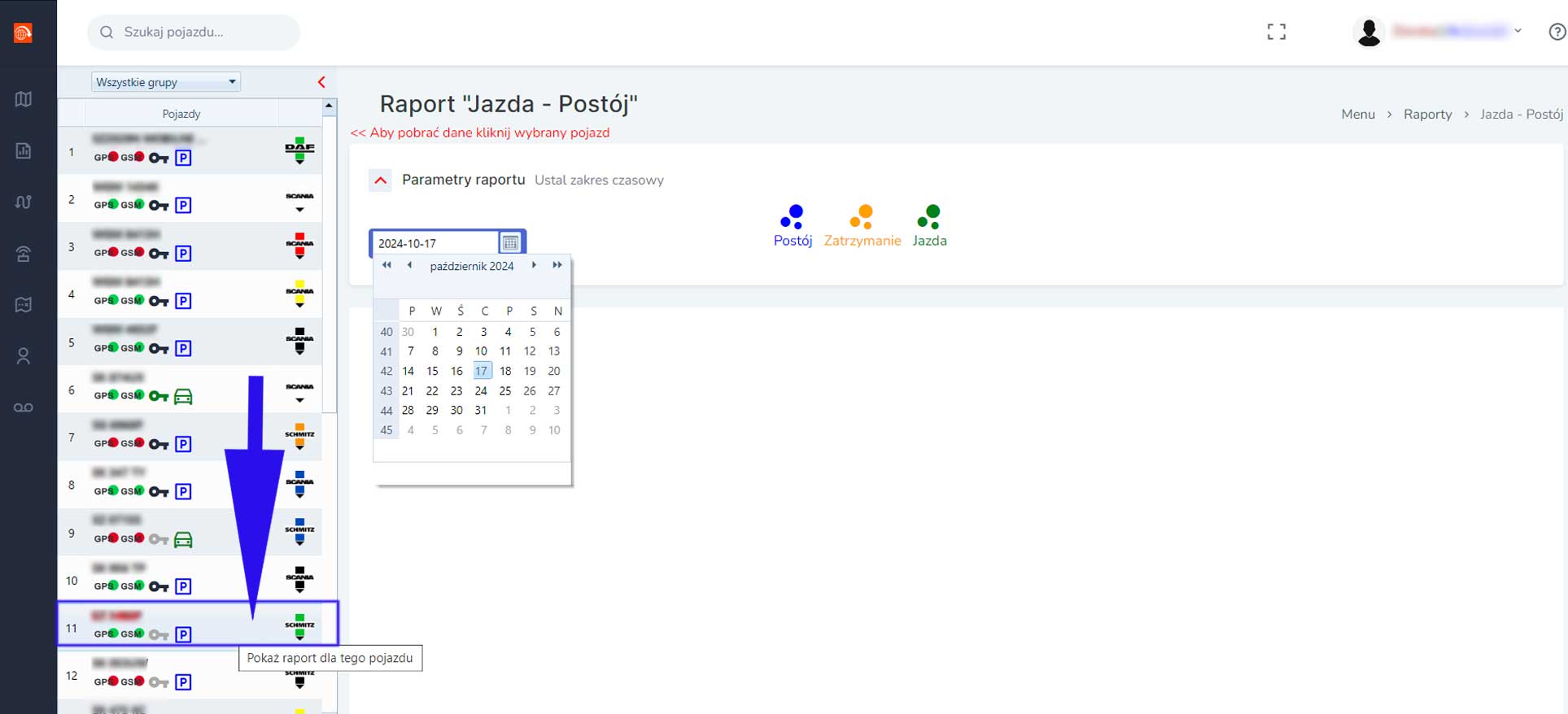
The report for the selected vehicle route will be displayed:
- vehicle movement during the specified period
- vehicle stop with the engine running
- vehicle stop with the engine off
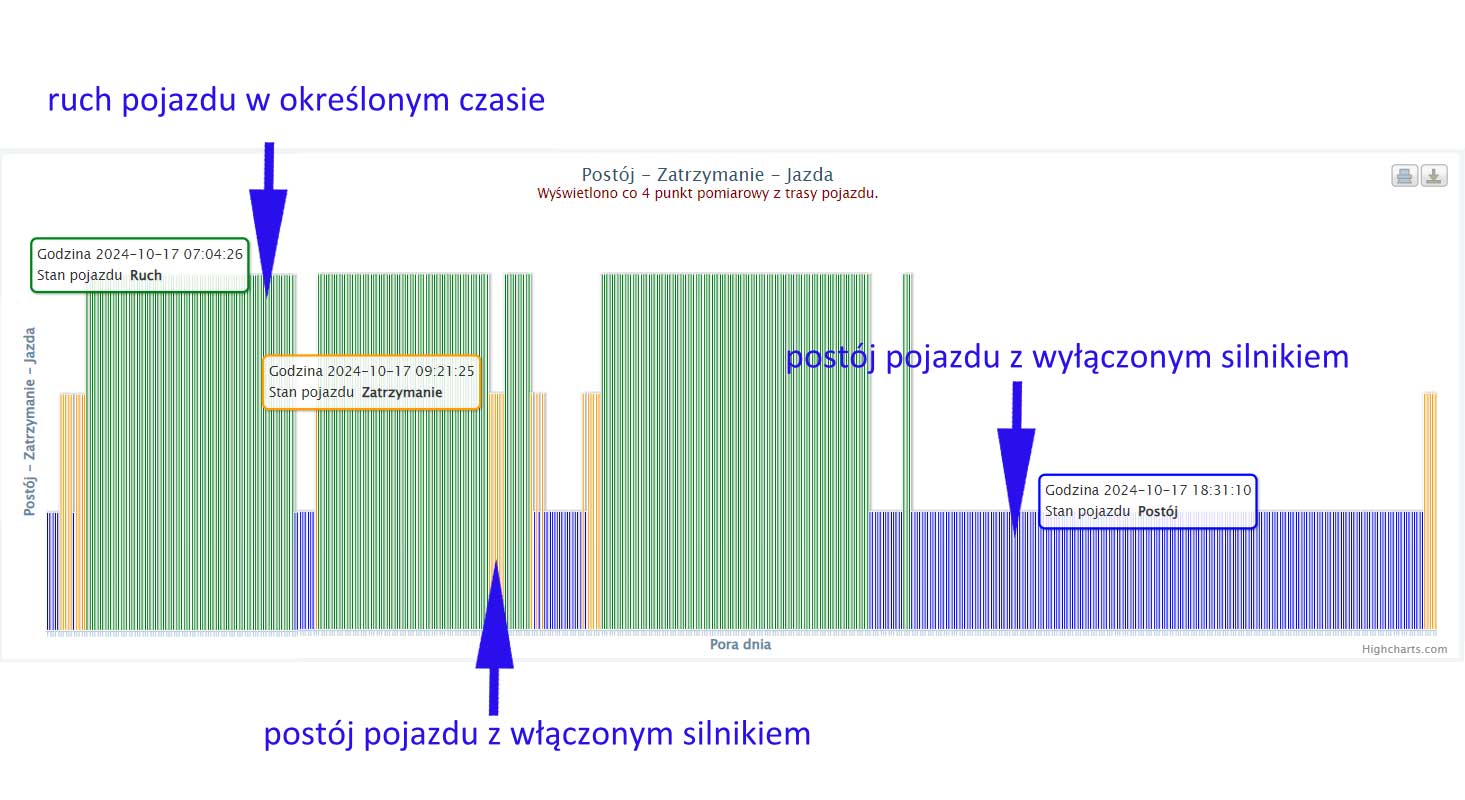
The report can be printed, saved as a PDF, or downloaded.