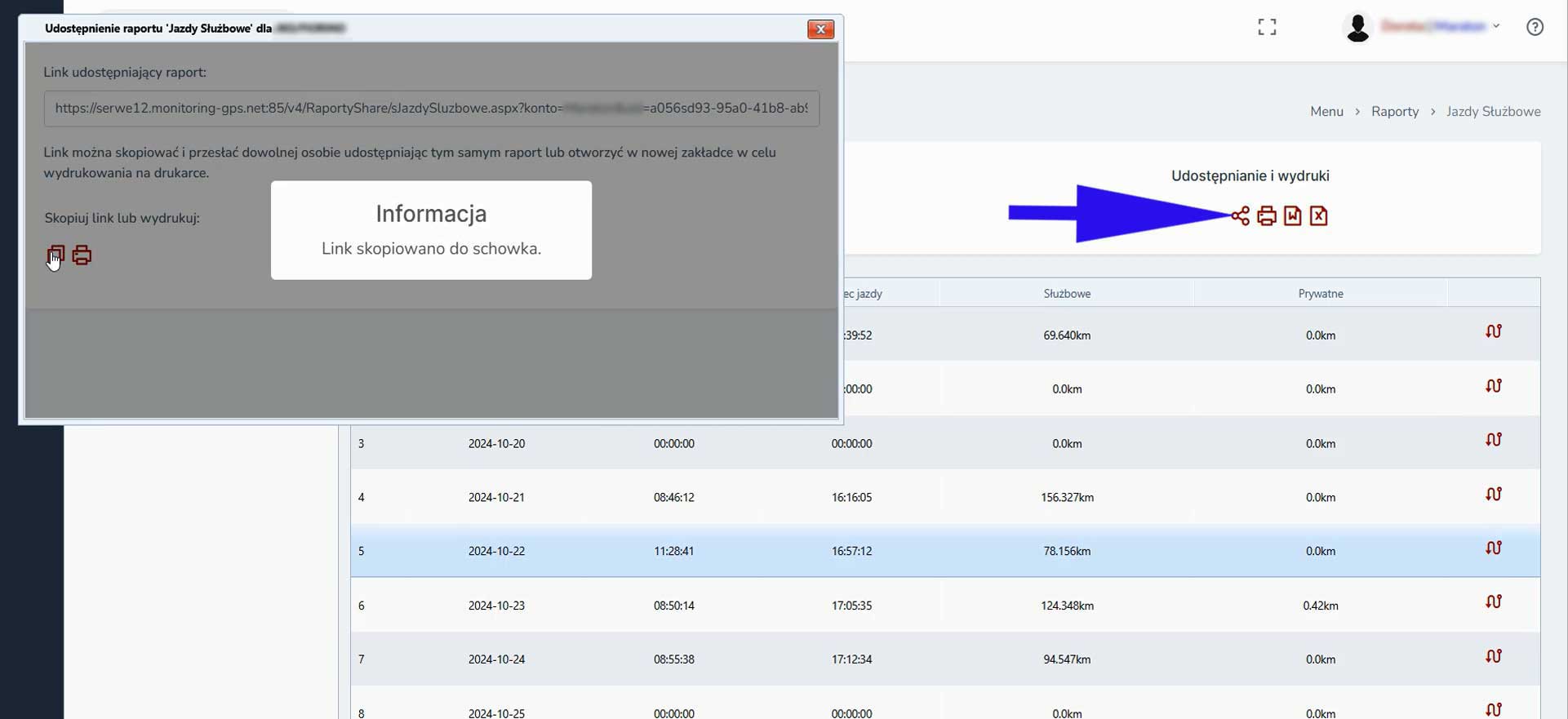
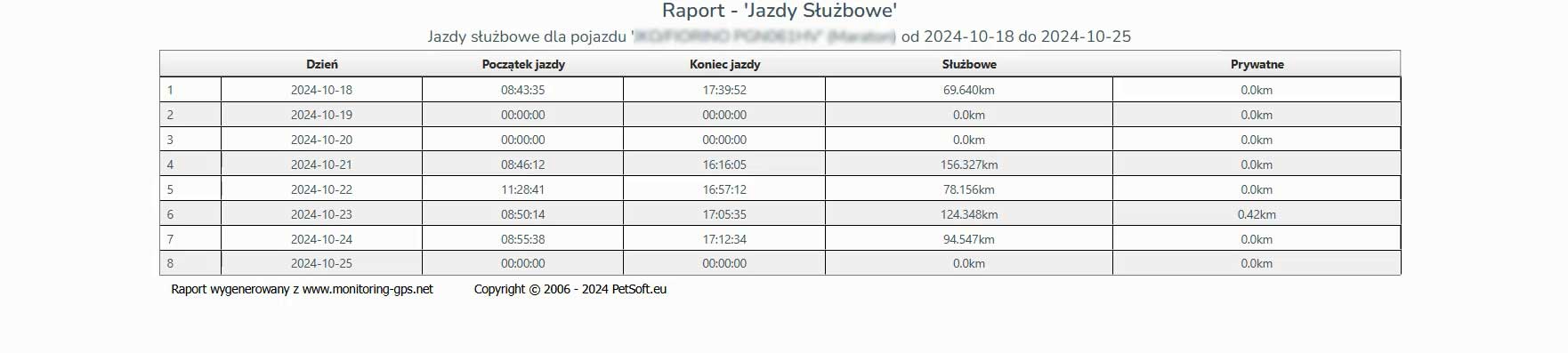
The report enables convenient monitoring of vehicle usage for business and private purposes, thereby supporting effective fleet management and cost analysis. This feature provides quick access to detailed data for individual vehicles, making management decisions easier.
To view the "Business and Private Trips" ("Jazdy służbowe i prywatne") report, you must first log in to our GPS tracking software.
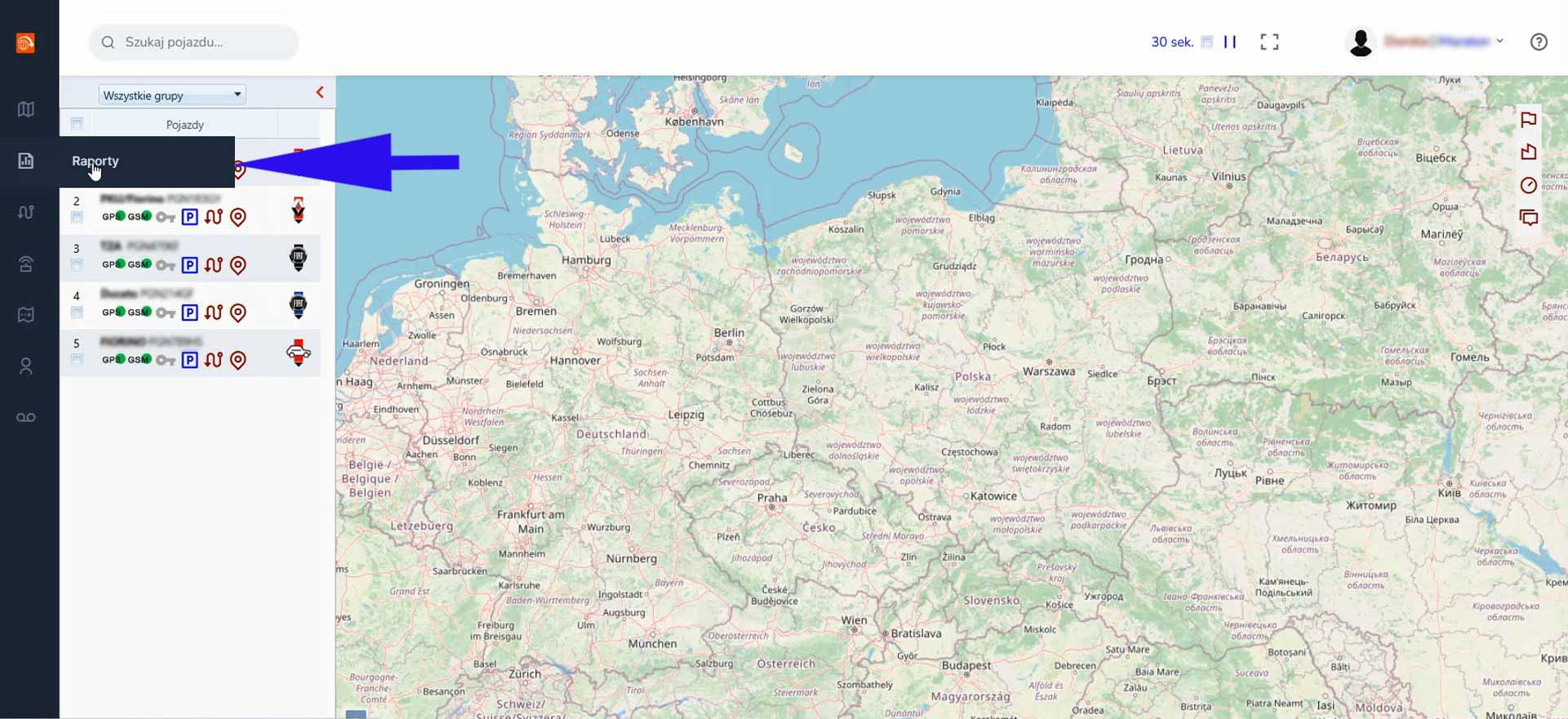
On the left side of the main menu bar, select the "Reports" ("Raporty") tab.
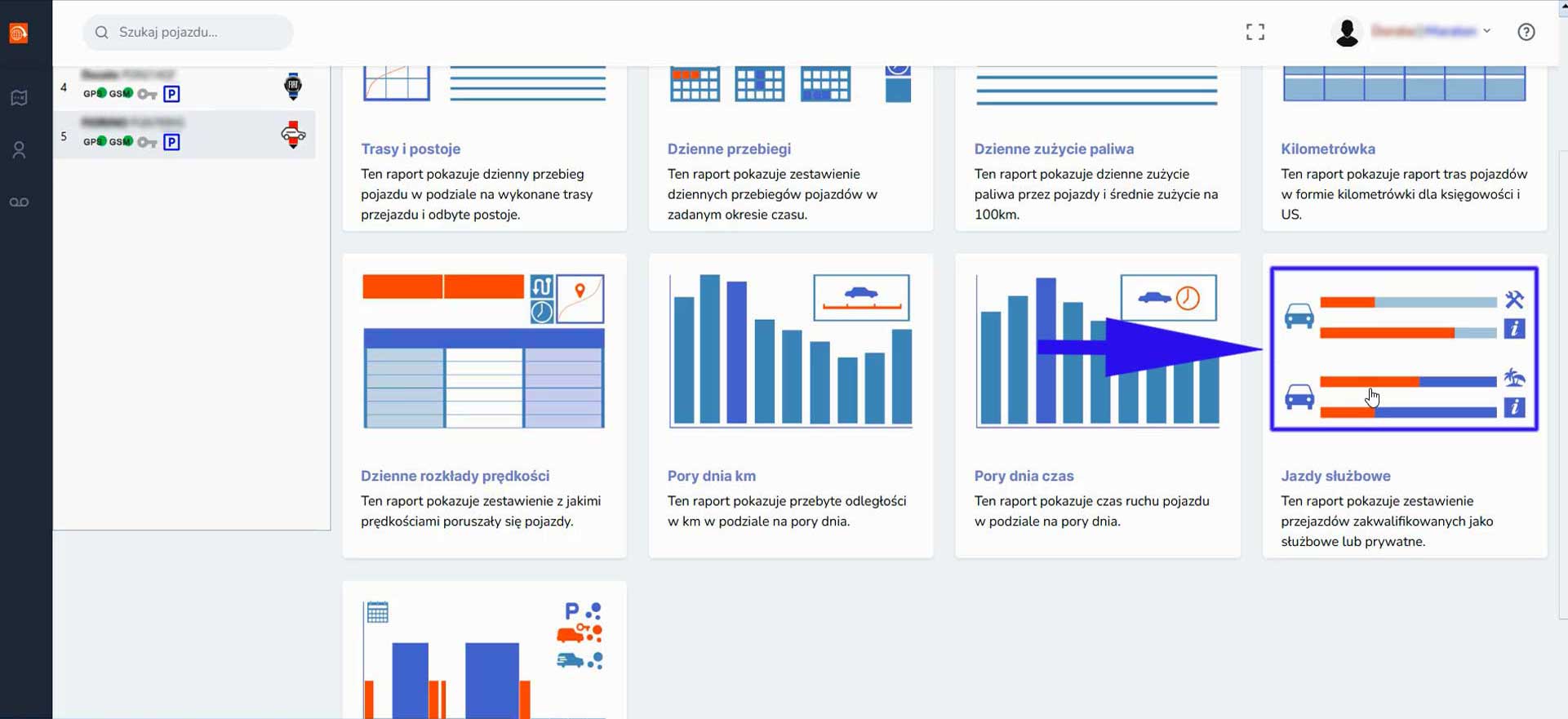
Next, click on the "Business Trips" ("Jazdy służbowe") tile.
Now set the date range for the "Business Trips" ("Jazdy służbowe") report.
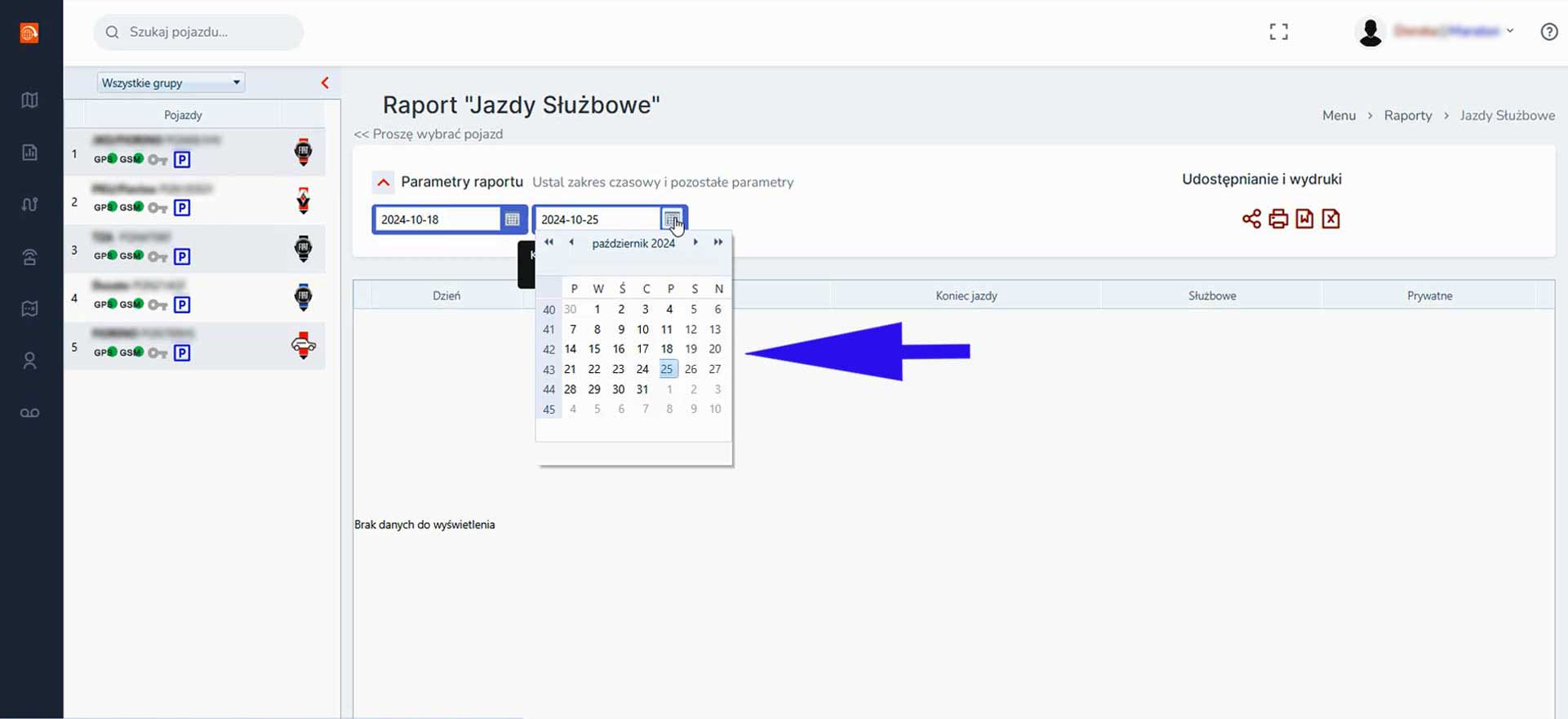
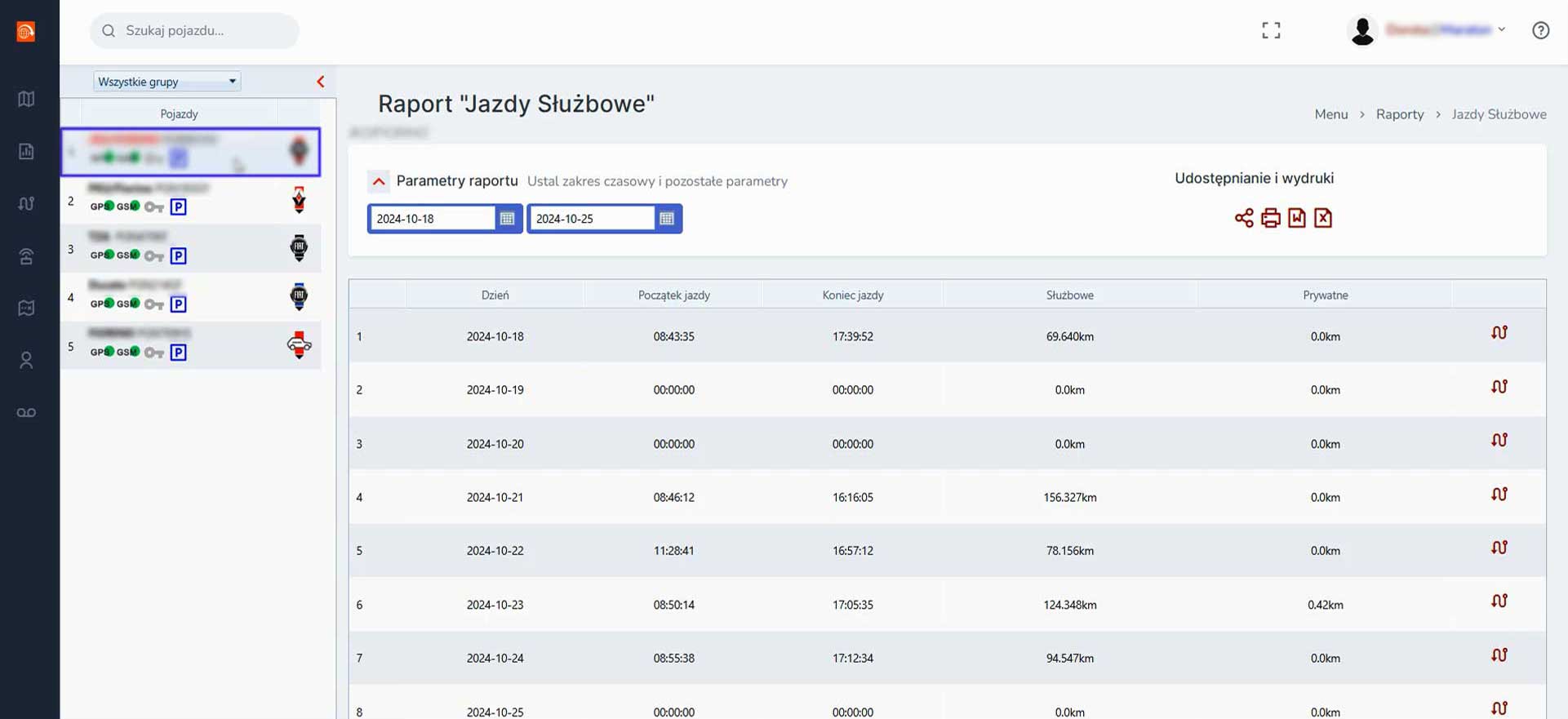
Next, select the vehicle for which you want to view the report from the list on the left side of the screen. The "Business Trips" ("Jazdy służbowe") report will be displayed. The report shows the day, the start and end time of each trip, the number of kilometres driven during private trips, and a separate summary for kilometres driven during business trips.
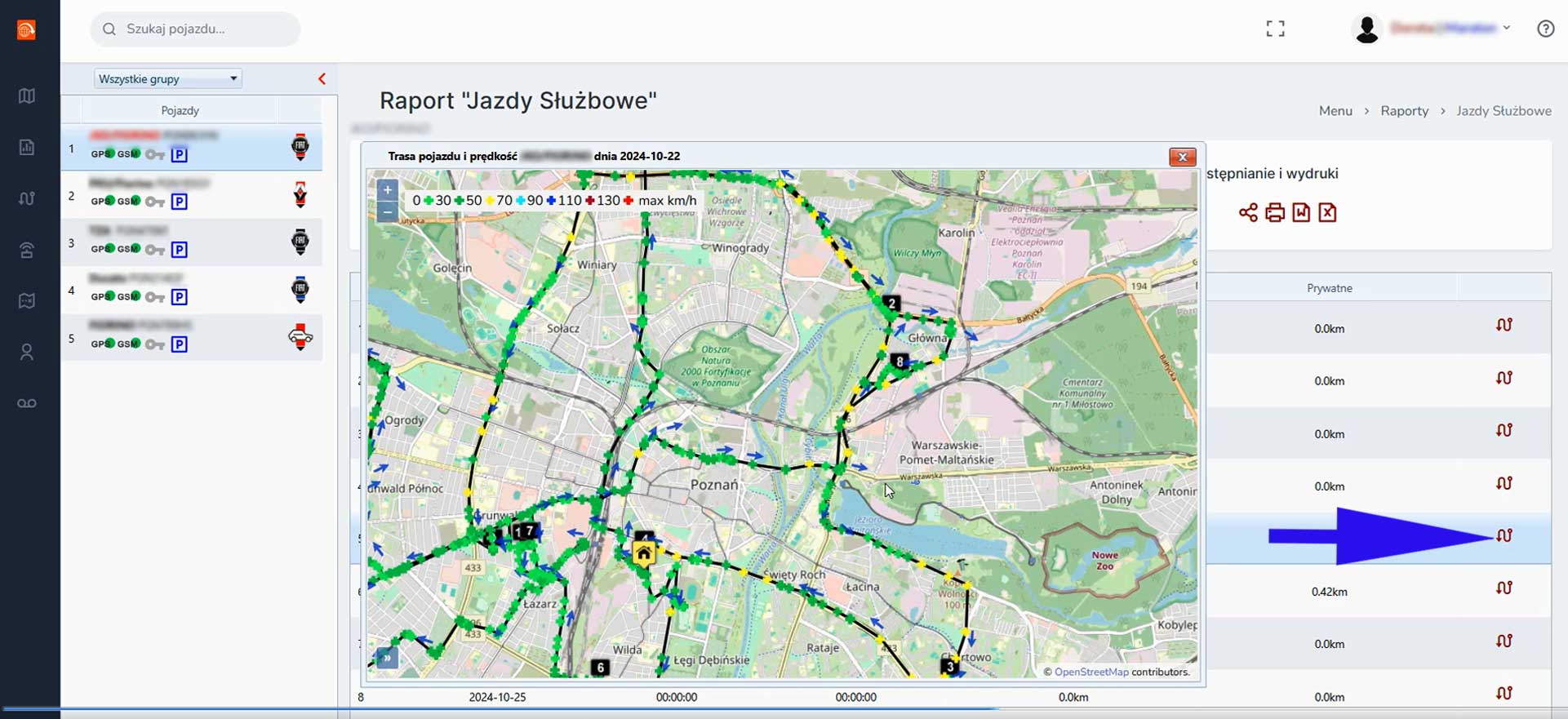
By clicking on the "route" icon, a map opens where you can see the entire day's route, including all measurement points and stops.
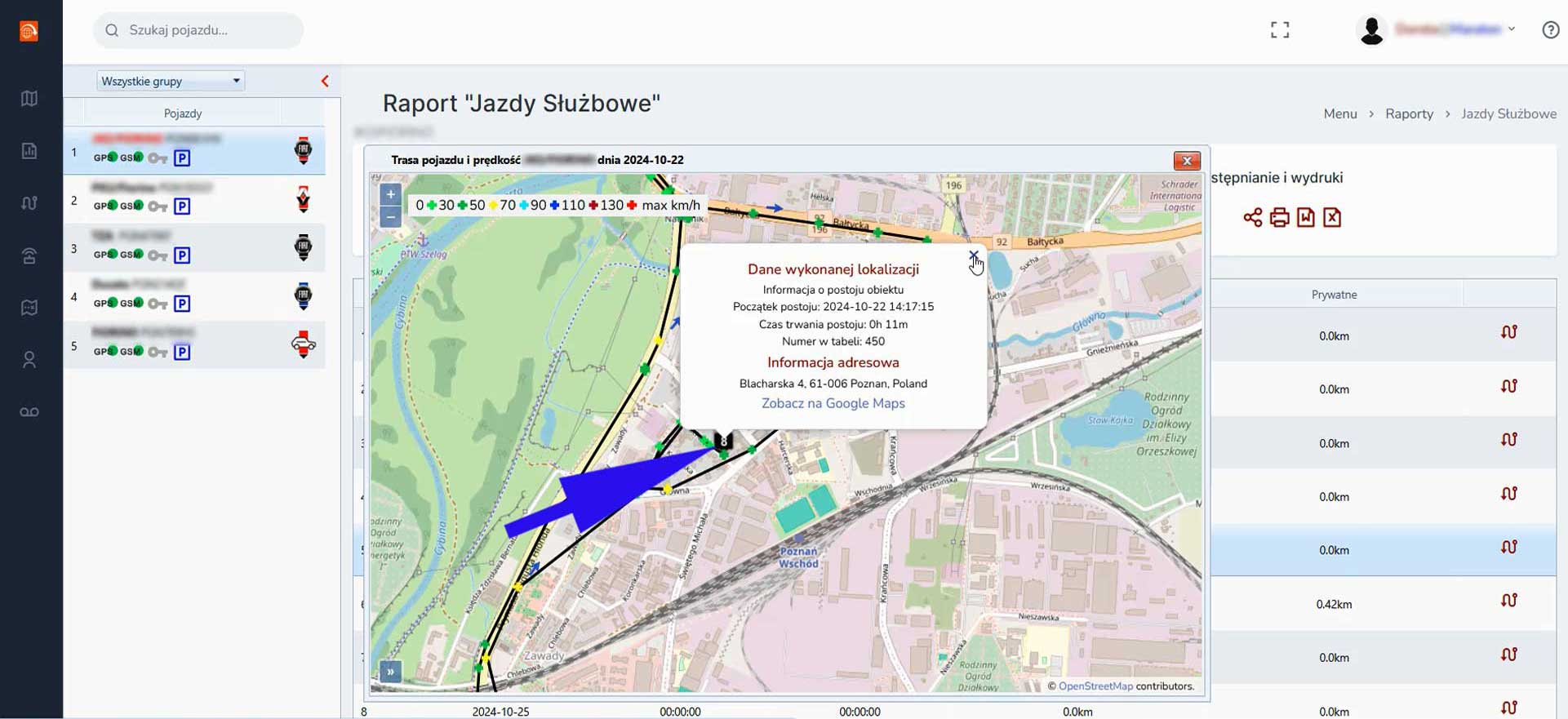
If you want to see information about a vehicle stop, click the vehicle's "stop" icon. A pop-up will appear with information about the duration of the stop and address details. The location can also be viewed on Google Maps.
The report can be printed, saved as a PDF, or downloaded.