
This description refers to the previous version of the application – the screens may look different from the current ones.
How to keep records
There are situations where it is essential to keep a record of a vehicle divided into business and private journeys. Manually maintaining such a logbook is extremely inconvenient. Our vehicle monitoring system allows you to automate this task. No special GPS tracker is required to achieve this. There is also no need to purchase or install readers or switches in the vehicle itself. The Monitoring Standard kit is entirely sufficient. The only requirement is that the driver must have a smartphone. For this reason, we have named this method of journey authorisation 'Smart'. How it works:
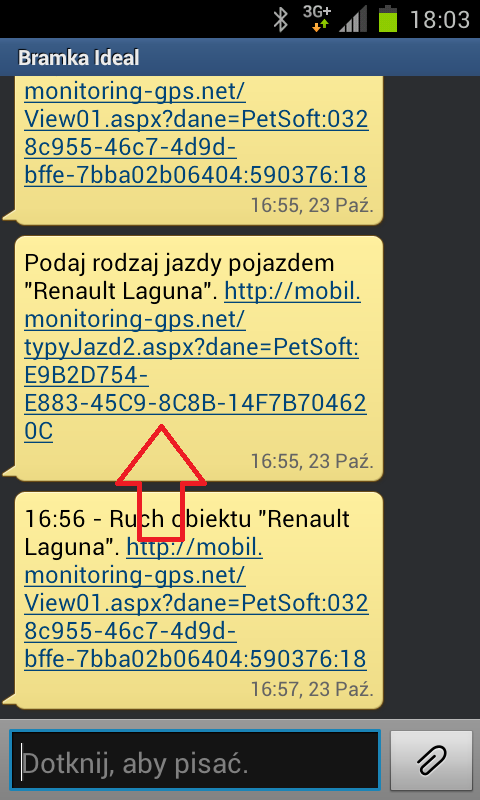
- After the vehicle stops, the system sends an SMS to the driver asking them to specify the type of journey
- The SMS contains a link to an application that allows the driver to select the type of journey just completed
- By clicking on this link, the driver is taken to a page where they can choose the journey type
- Once selected, the monitoring system assigns the journey to the appropriate category
Here are the steps to follow in order to control private journeys.
First, you need to assign a contact with the driver's mobile phone number. To do this, after logging into our fleet monitoring programme, go to:
Menu > Objects > Drivers > Driver list
Here, assign the contact with the phone number to the driver.
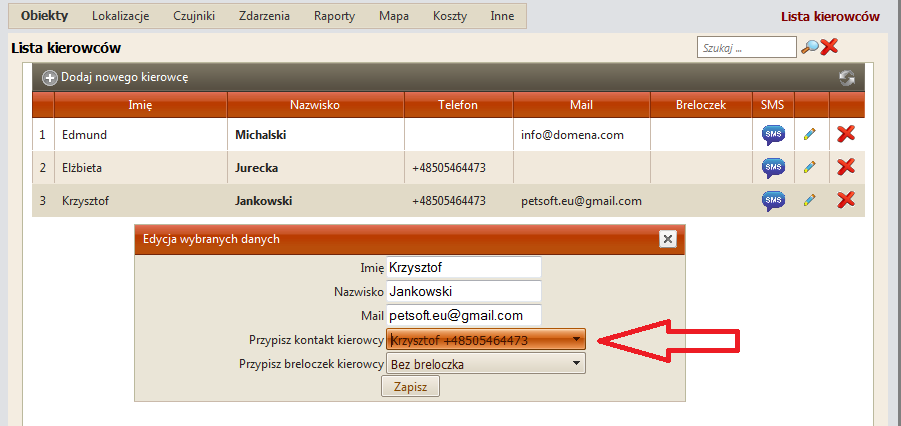
Now proceed to:
Menu > Objects > GPS tracker configuration
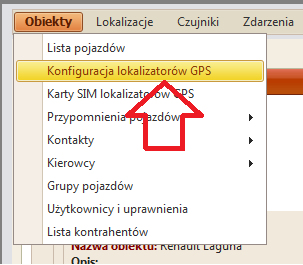
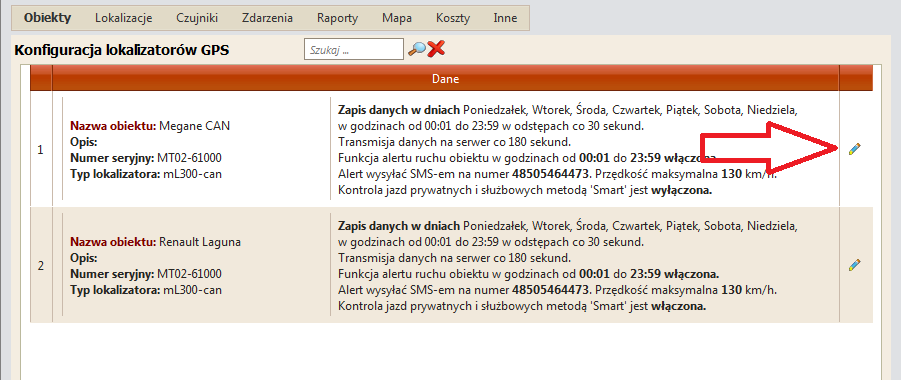
After opening this menu option, you will see a list of trackers. At this point, we are interested in the line indicating whether the control of private and business journeys is enabled or disabled. To edit, click the symbol on the right Edit  .
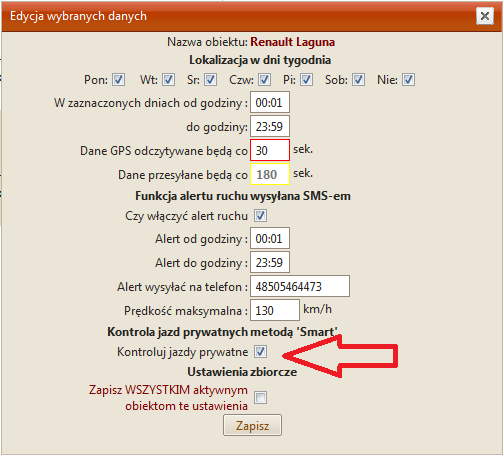
Now select the option "Control private journeys" and save the data.
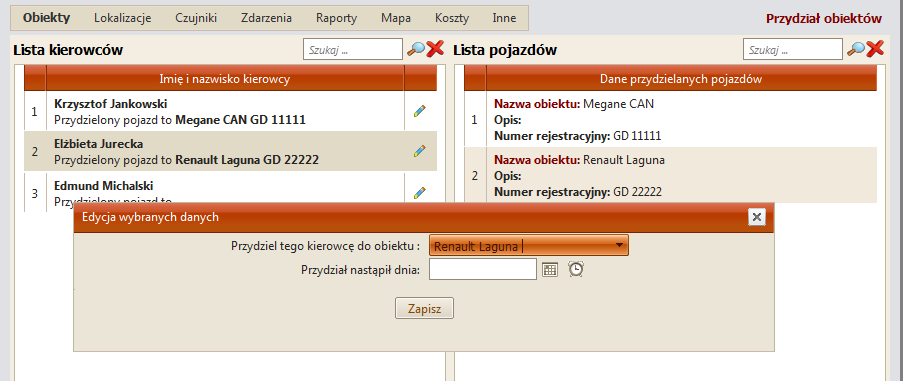
At this stage, you need to inform the system who will be driving the given vehicle. Do this by going to:
Menu > Objects > Drivers > Assign drivers to objects.
Here, assign the driver to the vehicle.
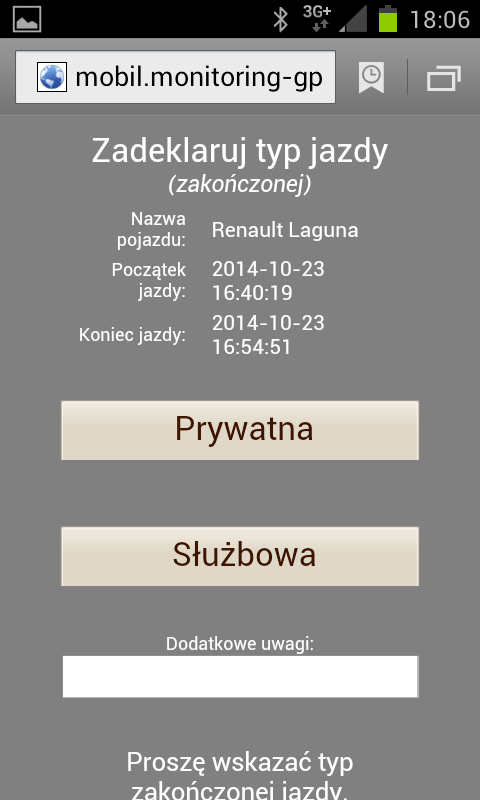
After accessing the journey type selection application on the driver's smartphone, the driver should select the journey type. It is also possible to describe the purpose of the journey or add any other relevant information regarding the event.