
This description refers to the previous version of the application – the screens may look different from the current ones.
Vehicle Mileage Log
The vehicle mileage log – commonly known as the mileage logbook – is used by entrepreneurs to record expenses incurred for the operation of a vehicle used for business purposes.
Our Monitoring-GPS.net application offers many useful features. One of them is the ability to generate a vehicle mileage report.
This article shows how to configure such notifications.
To access the report, after logging in, enter the system and then select from the top menu bar:
Menu > Reports > Reports generated in the system > Vehicle Mileage Log (kilometrówka).
After entering this page, a screen with the following data appears:
- Time and range selection controls
- Vehicle list
- A table containing:
- day
- start of journey
- end of journey
- route length (km)
- driving time
- stop time
- GPS odometer (km)
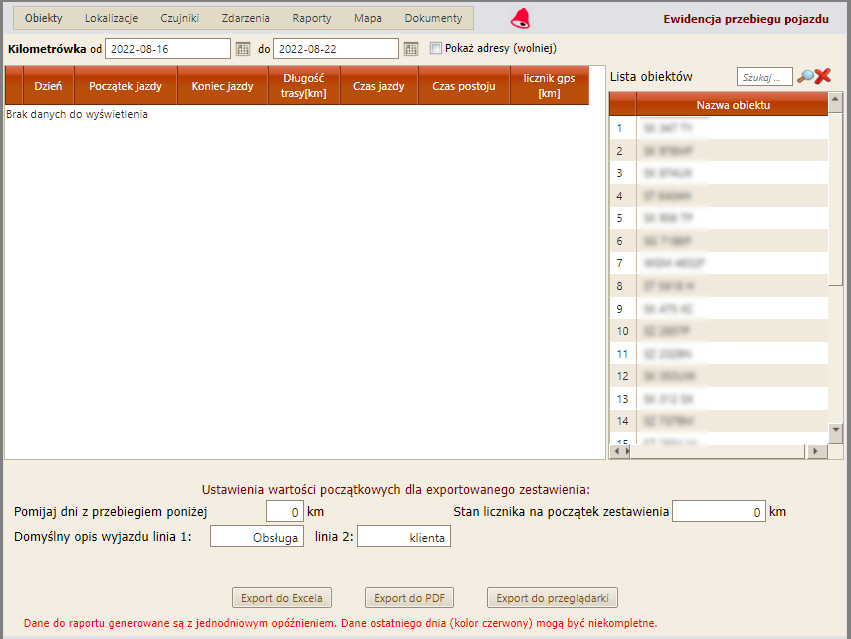
First, select the vehicle from the list on the right side of the map. This should be the vehicle for which you wish to obtain mileage log data.
After making your selection, click the "Show data" icon 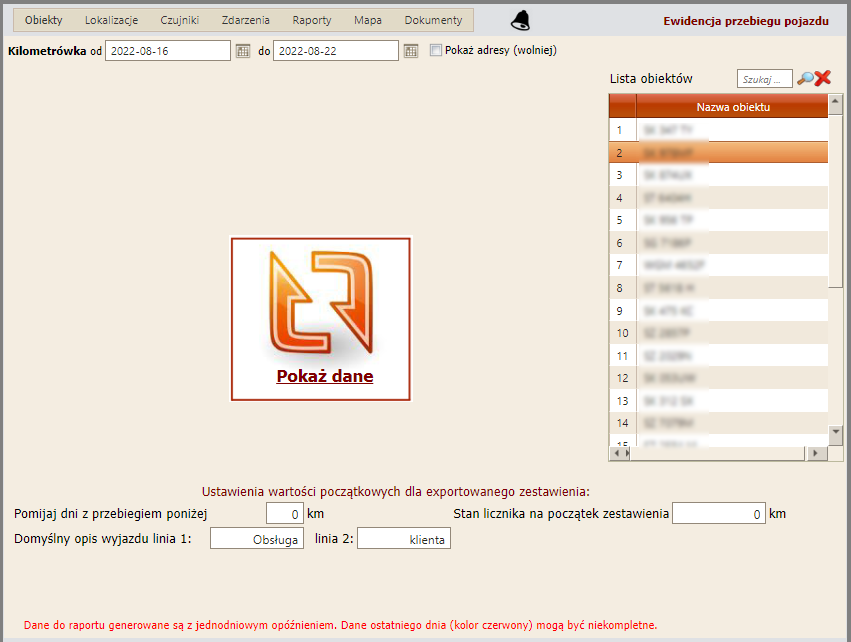
At this point, you will see a table with the generated data. 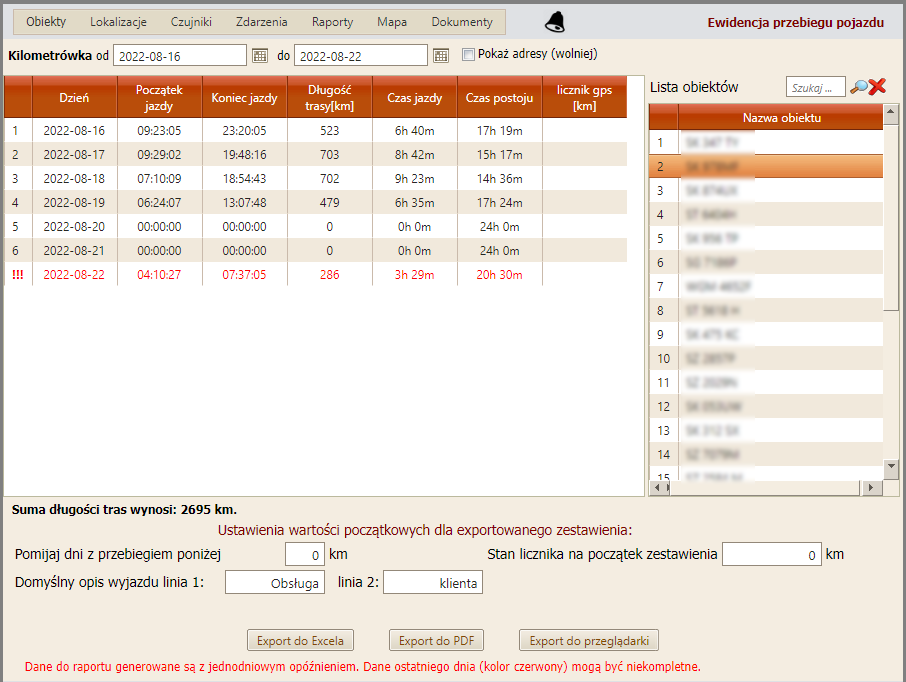
By ticking the "Show addresses (slower)" icon, the starting and ending addresses of the object will be generated.
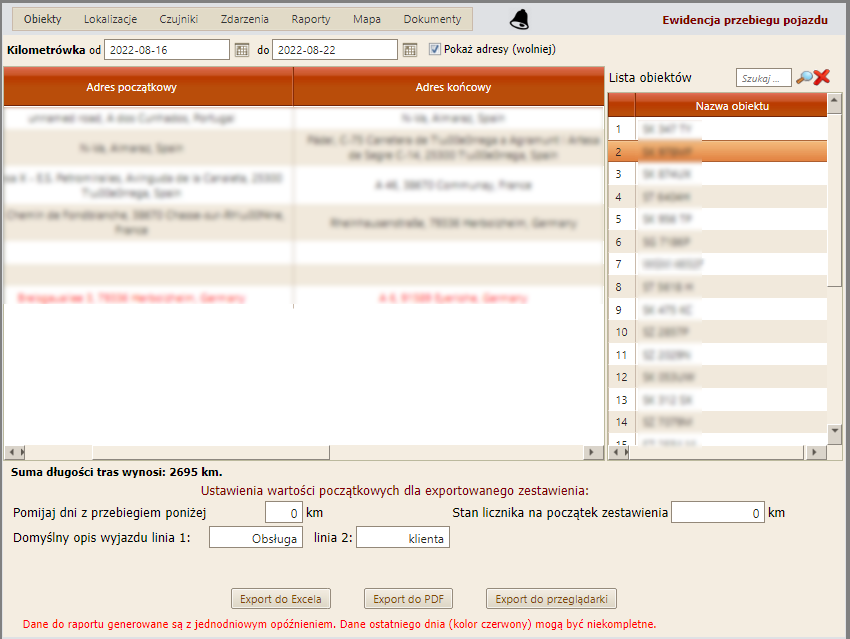
It is possible to export the data in Excel and Word formats. You can set initial values for the exported summary. The relevant export buttons are located at the bottom of the screen discussed.
Note.
It is best to analyse the data with a delay, i.e. up to the previous day.
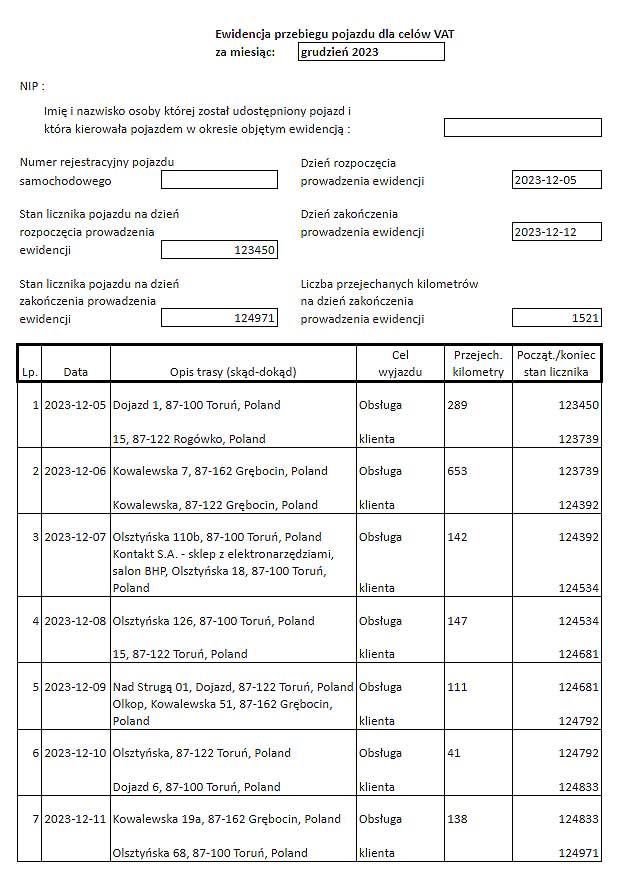
This is what the mileage log report generated from our application looks like.