Chart – driver working time
The driver’s working time covers the period from the start to the end of all activities related to the performance of road transport, such as: driving the vehicle, supervising passengers, as well as loading and unloading. A tachograph is a device that records the driver’s working time. Our system includes a feature that allows you to display tachograph data assigned to a driver based on their driver card, presenting working time in a chart.
To display the "Chart – driver working time" ("Wykres - czas pracy kierowcy") in the current version of our system, log in and then:
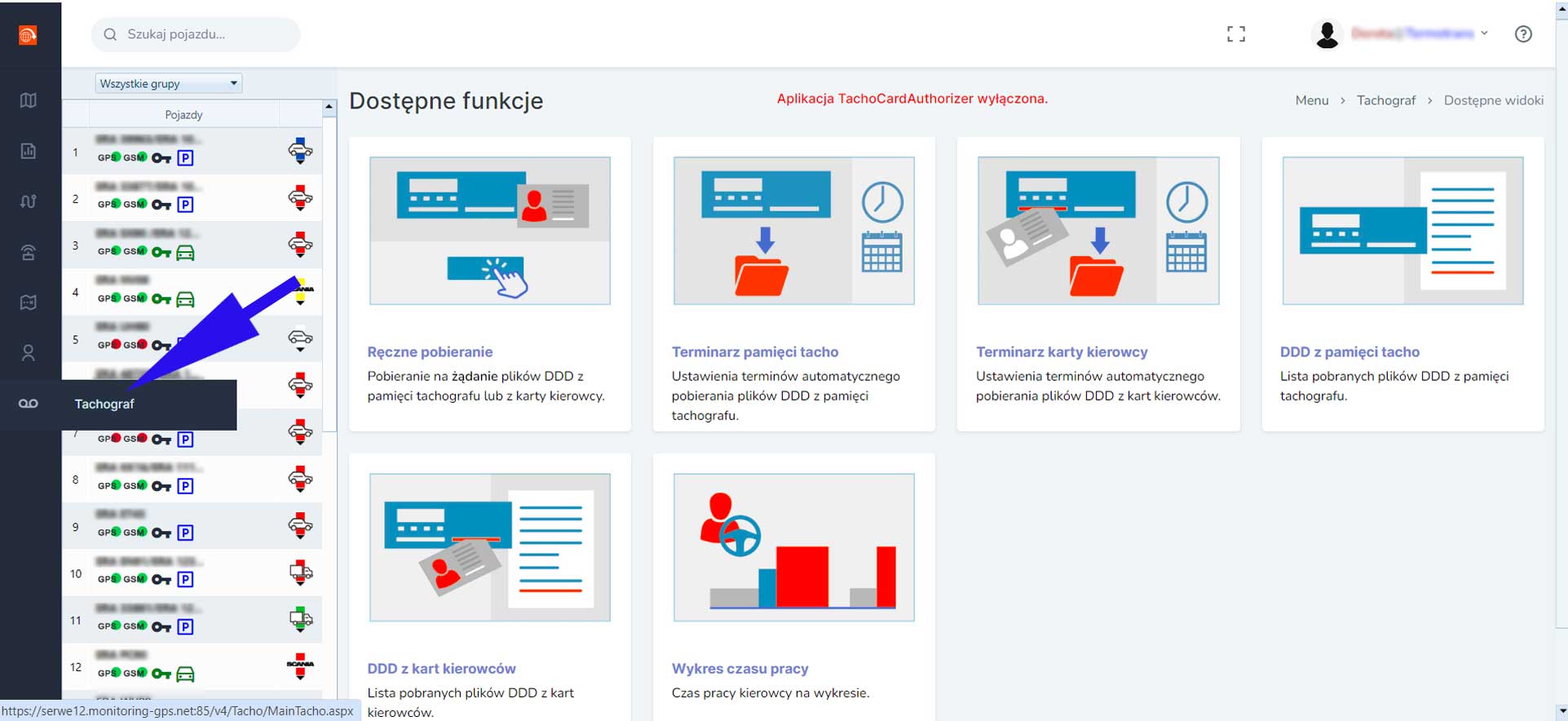
In the menu, click the "Tachograph" ("Tachograf") icon;
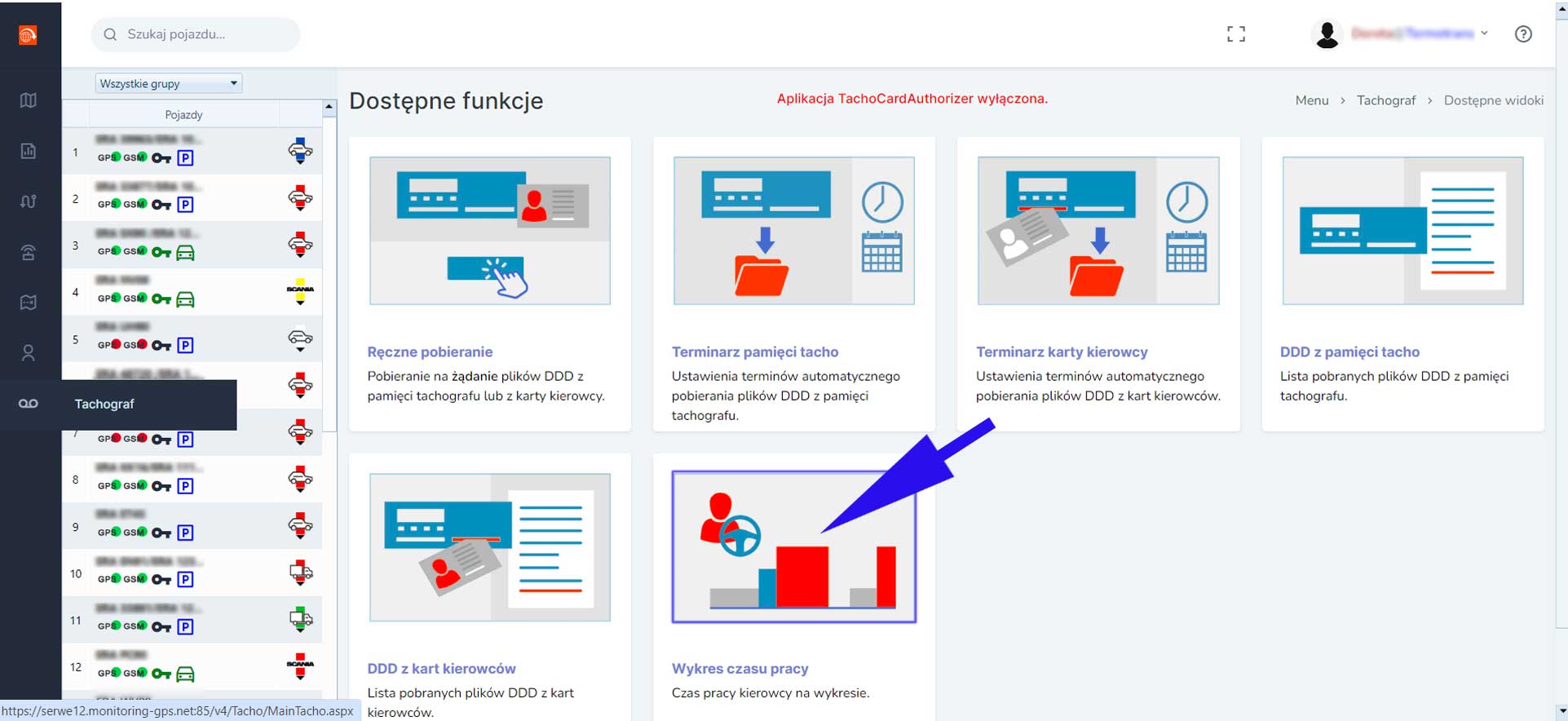
 then select the "Working time chart" ("Wykres czasu pracy") icon;
Select the time range you are interested in, and then from the list, select the Driver with the assigned Driver Card number and click. 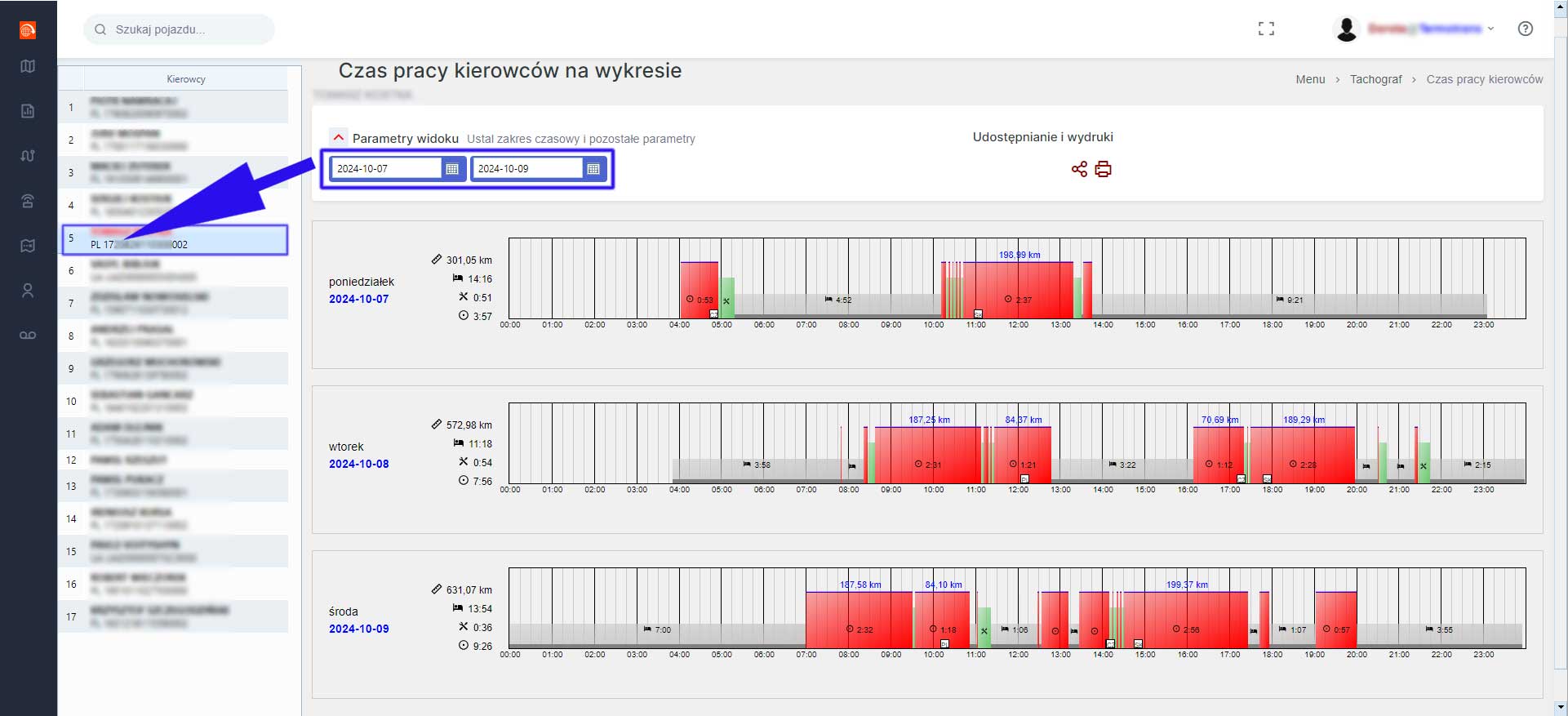 A chart is generated with the specified parameters. In this example, we selected three working days for Driver no. 5 from the list.
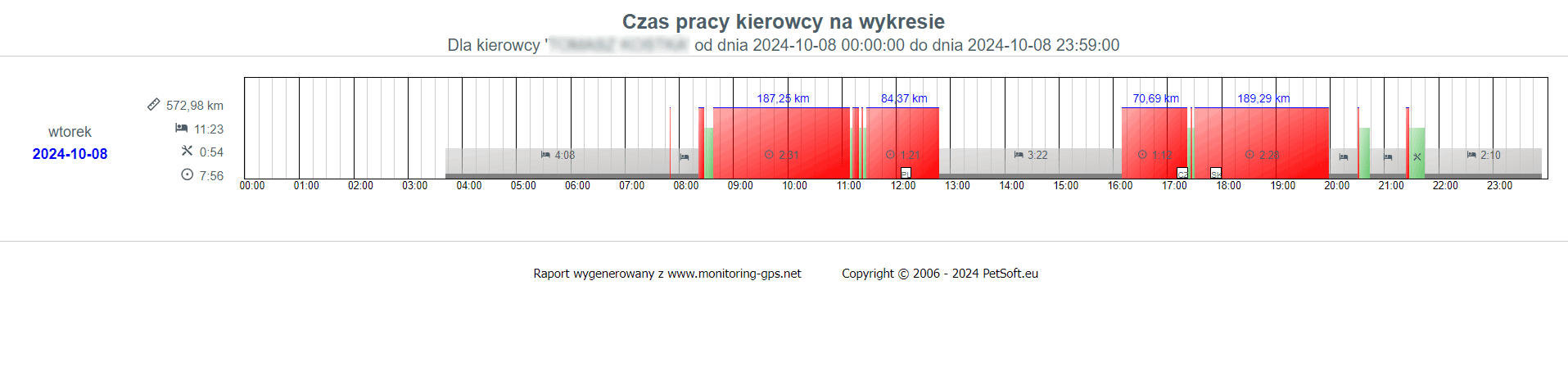
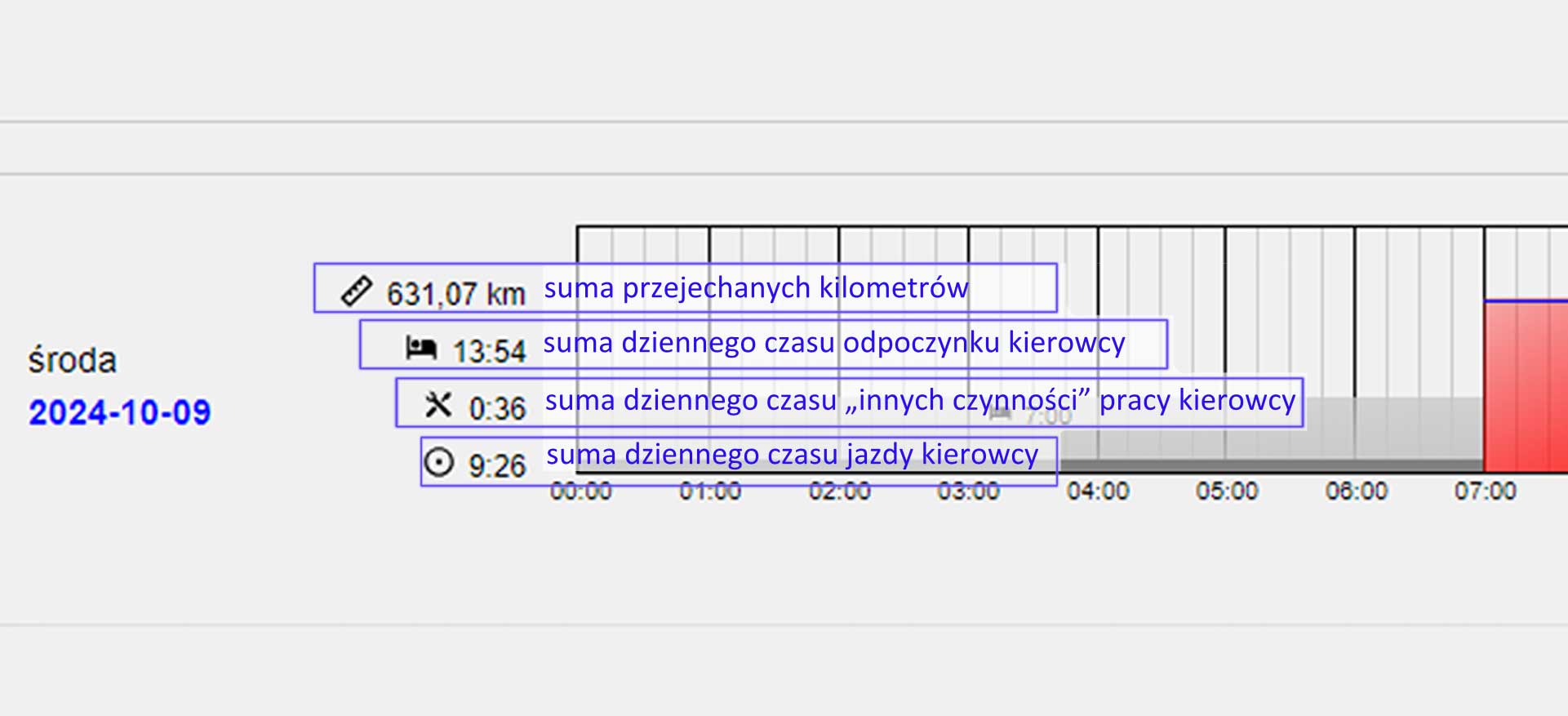
The chart, divided by days of the week, provides information on:
- the total distance travelled in kilometres
- the driver’s daily rest time
- the total daily time of "other activities" performed by the driver
- the total daily driving time of the driver
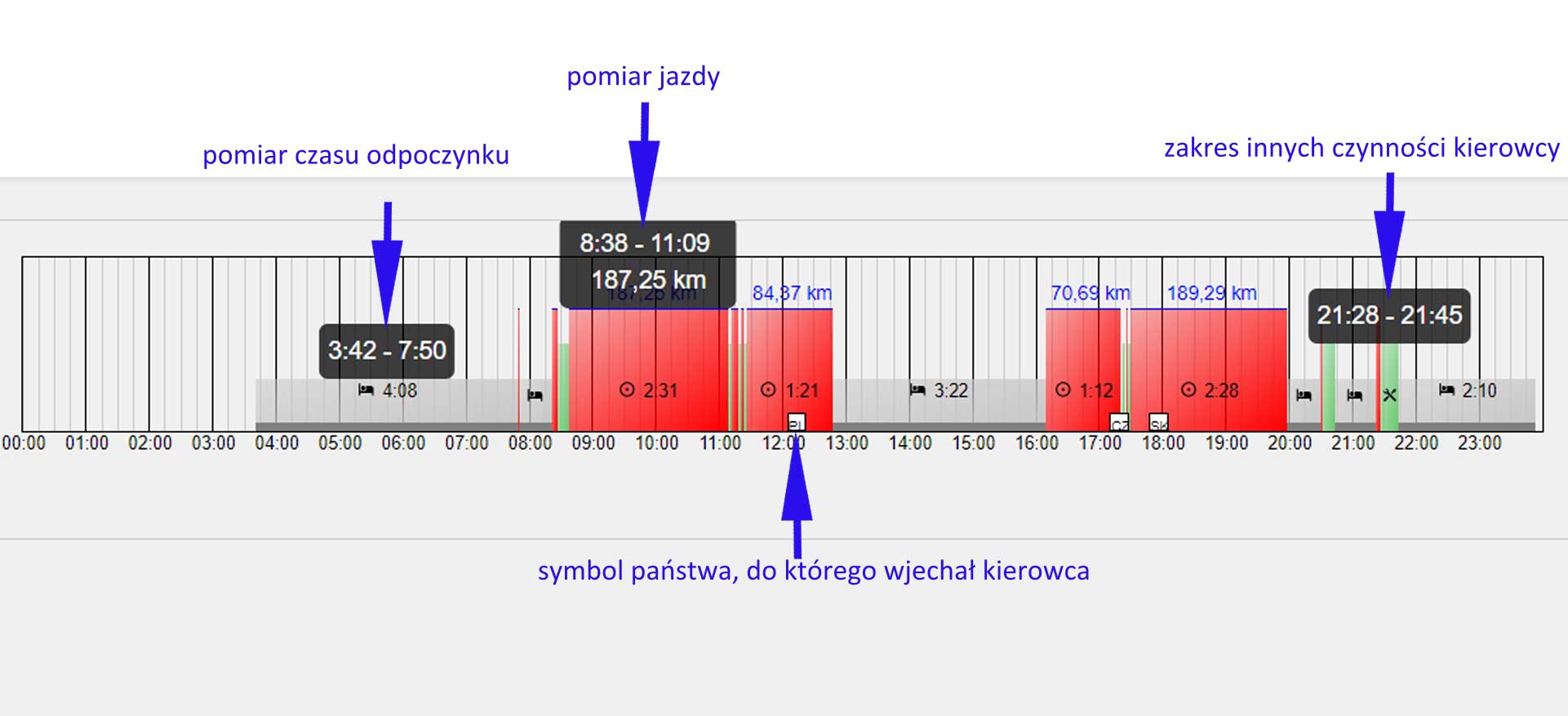
When you hover the cursor over the chart, the columns are highlighted. Each contains separate information, such as:
- measurement of rest time, during which the driver is relieved of duties and can freely dispose of their time.
- measurement of driving time, including the period during which driving took place and the distance travelled. The measurement of driving time is related to time management while driving.
- measurement of other driver activities, meaning all duties not directly related to the vehicle but forming part of the driver’s work.
- a point with the country symbol indicating the country the driver entered. The system records entry into another country, in accordance with international travel regulations.
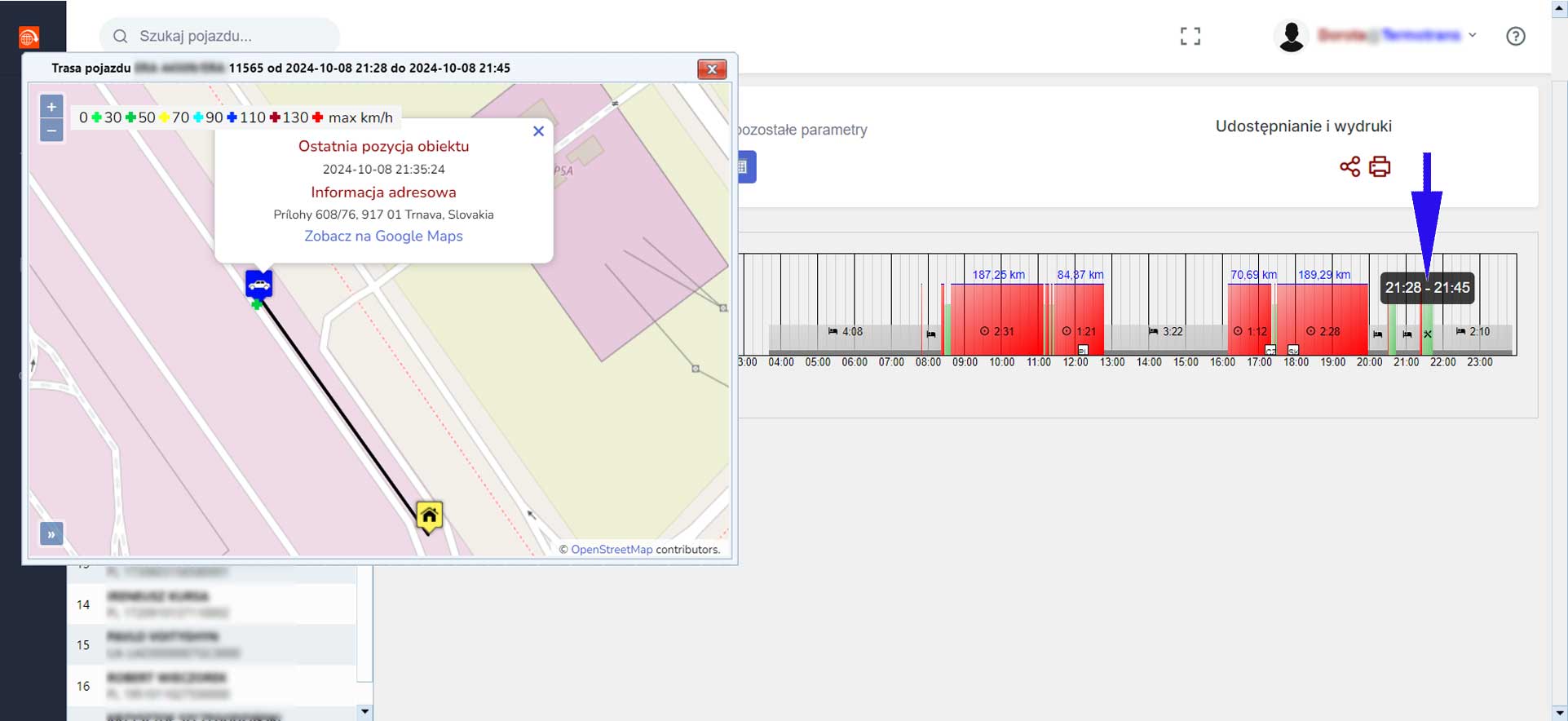
By clicking on any of the columns, you will receive additional information about the event, such as a view of the selected vehicle’s route, details regarding time, location, distance travelled, and the type of activity performed by the driver. This allows for more precise monitoring of the route and the driver’s activities. Additionally, clicking on any active measurement point along the route will display a tooltip with information about the vehicle’s position, time, speed (in the case of driving), and detailed address information.
When you click on the column relating to the driver’s rest, a map is displayed showing the location of the rest stop and the time period during which this activity took place. 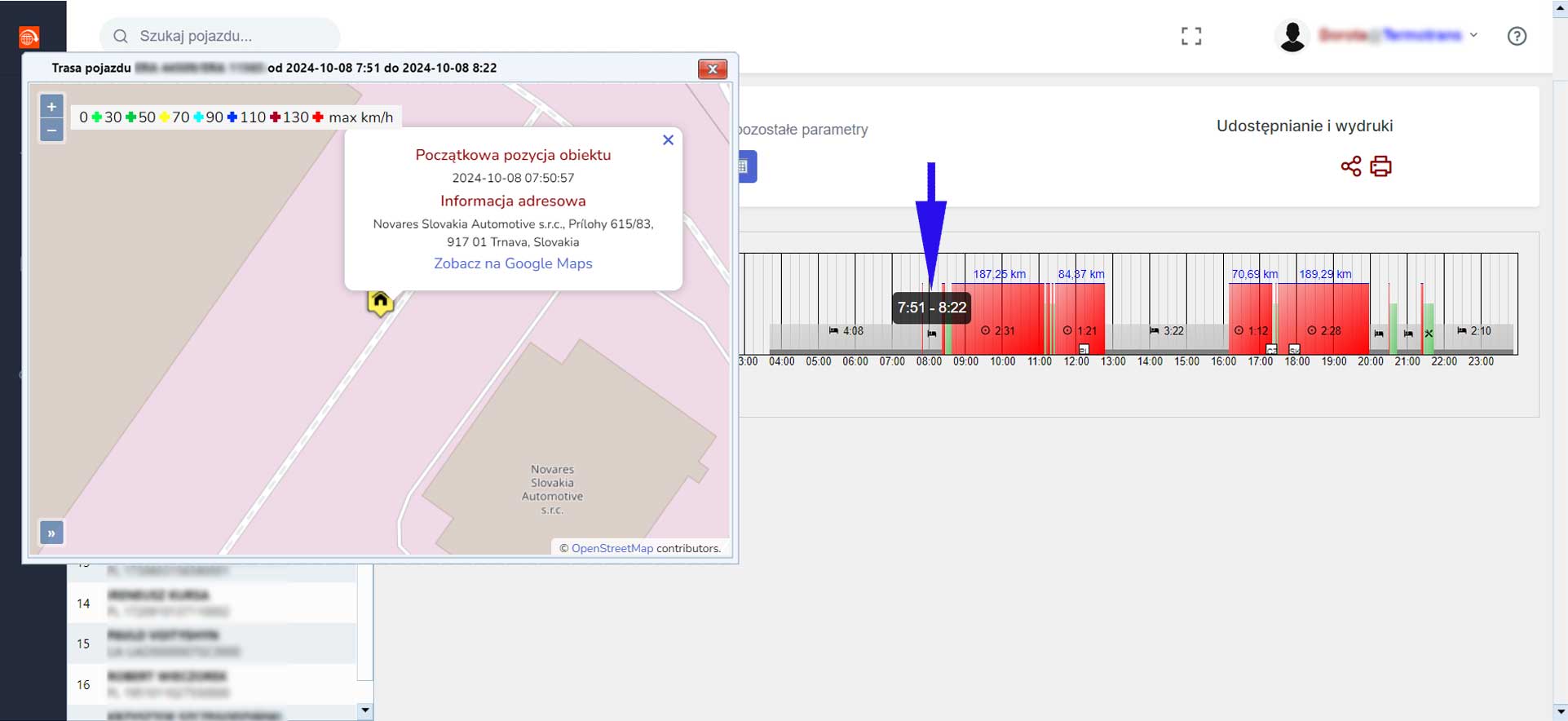
When you click on the column relating to the driver’s driving, a map is displayed with the travelled route and the distance covered within the selected time range. Additionally, by clicking on any active measurement point along the route, a tooltip will appear containing information about the vehicle’s position, speed, and address details. All positions can also be viewed on Google Maps.
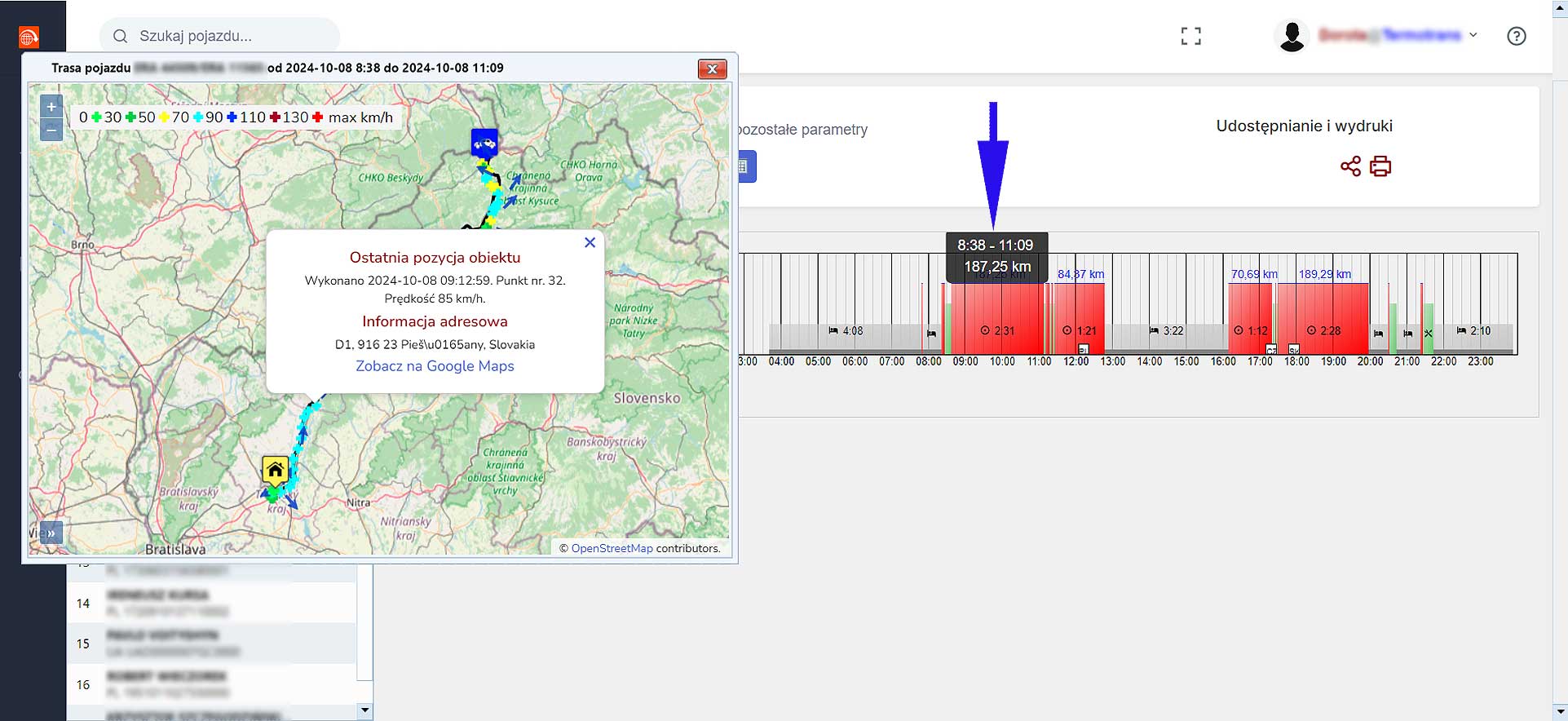
When you click on the column relating to the driver’s "other activities", the time range of the event and the location where the driver performed other tasks, such as loading, unloading, manoeuvring, vehicle maintenance, completing documentation, or waiting for loading/unloading, will be displayed.
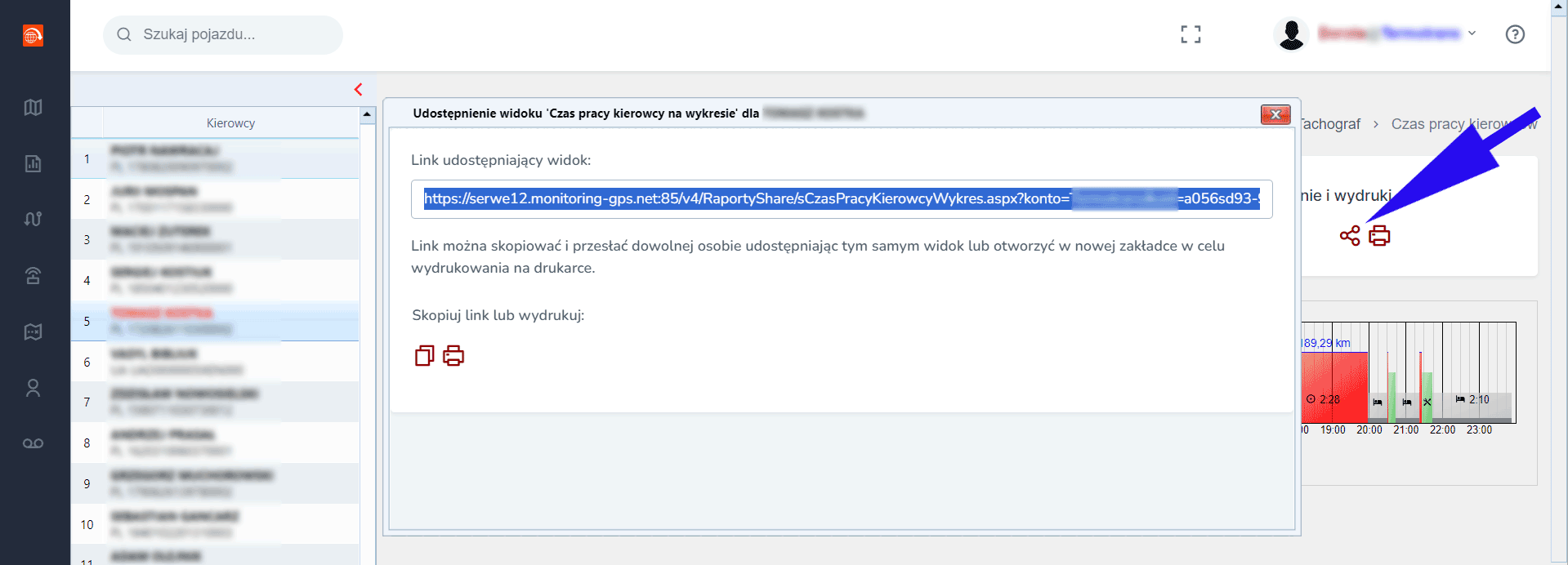
The view can be shared by copying the generated link to the clipboard or printing it.