
pTrax Monitoring
New in version 1.1.12 (August 2026): communication with drivers. How to exchange messages with a driver is described in the article Text communication with the driver.
pTrax is an application for the fleet owner and dispatcher. You log in with the same credentials as for the system in your browser and have the most important information about your vehicles at hand – in a new, clear interface.
Vehicle list and all vehicles on the map
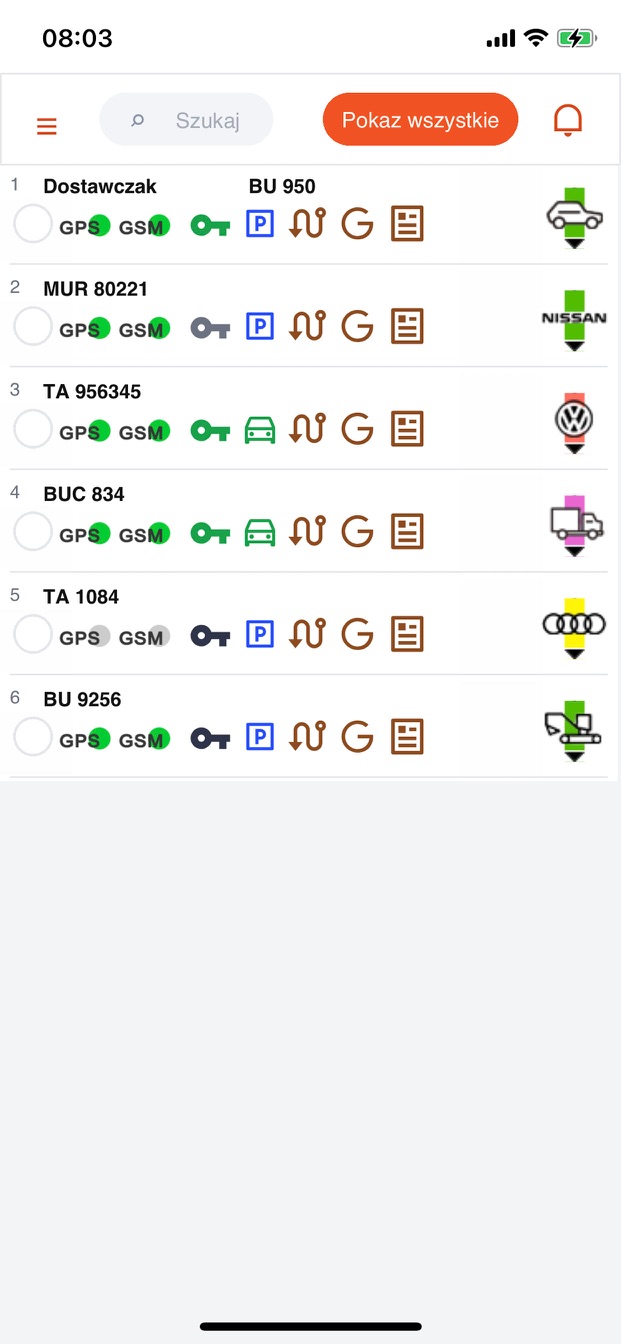
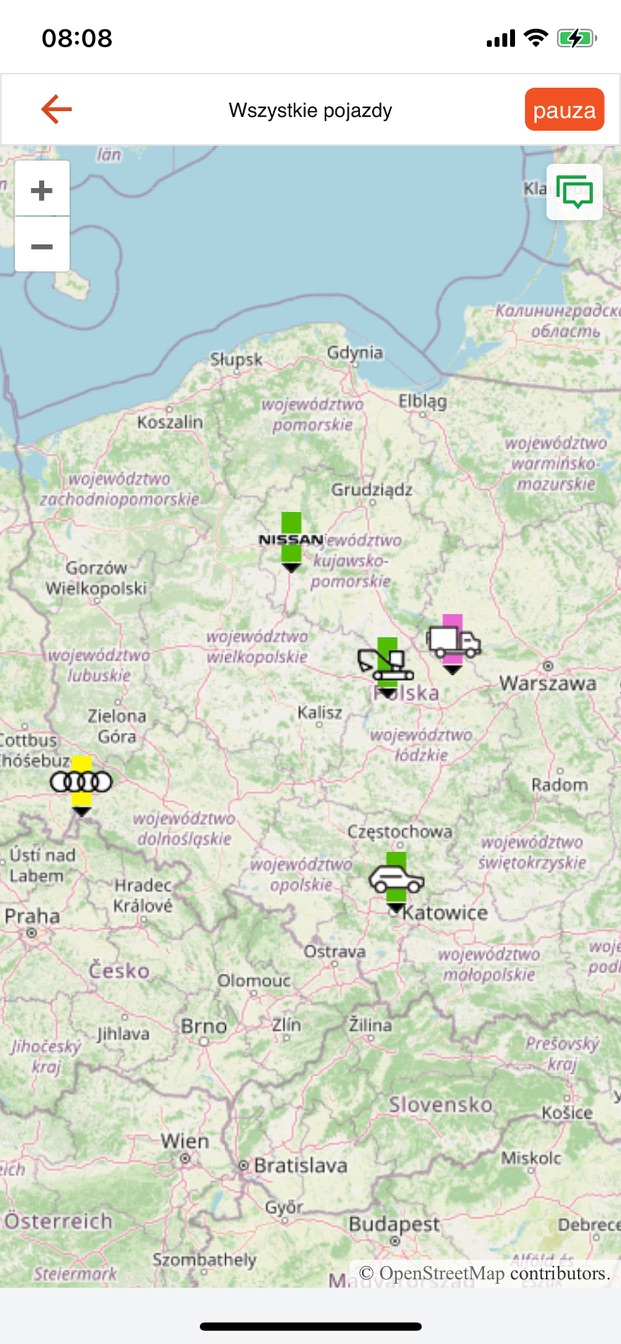
After logging in, you see a list of vehicles with a search function. Next to each vehicle, icons display the key status: GPS and GSM signal, ignition, and whether the vehicle is moving or stationary. Further icons lead directly to the route, map, and reports for that vehicle. The "Show all" ("Pokaż wszystkie") button displays the entire fleet on a single map – the location refreshes automatically, and with the "pause" button you can stop the updates.
Vehicle details and route
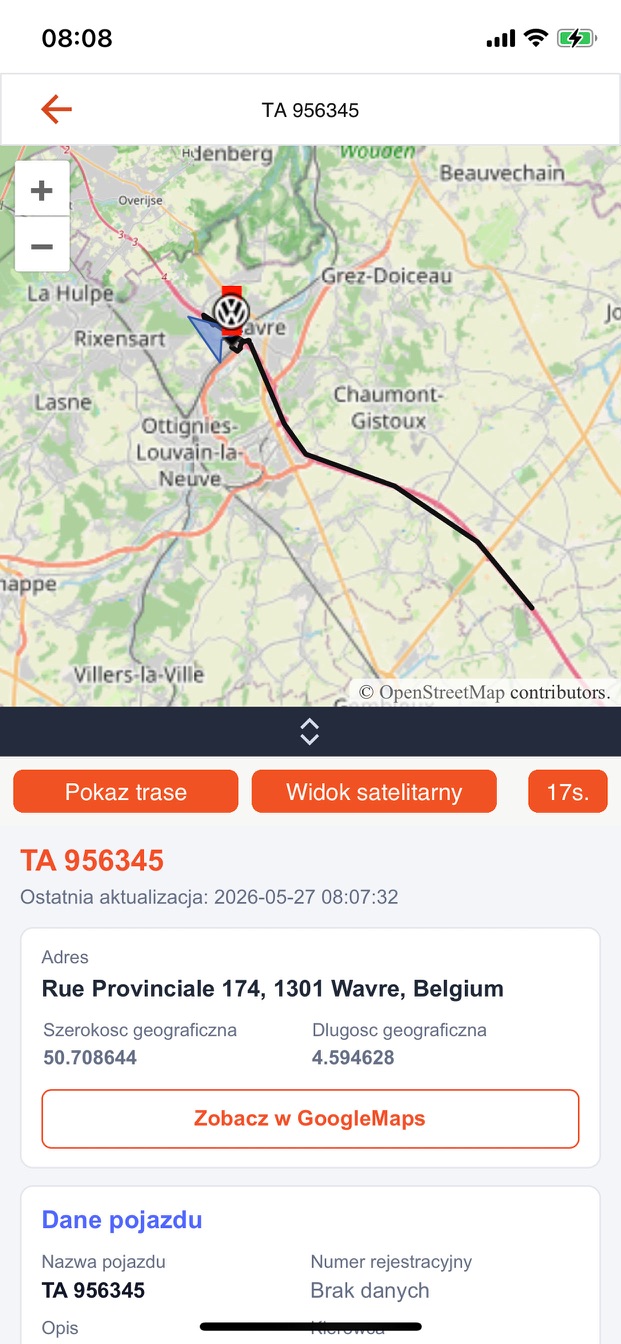
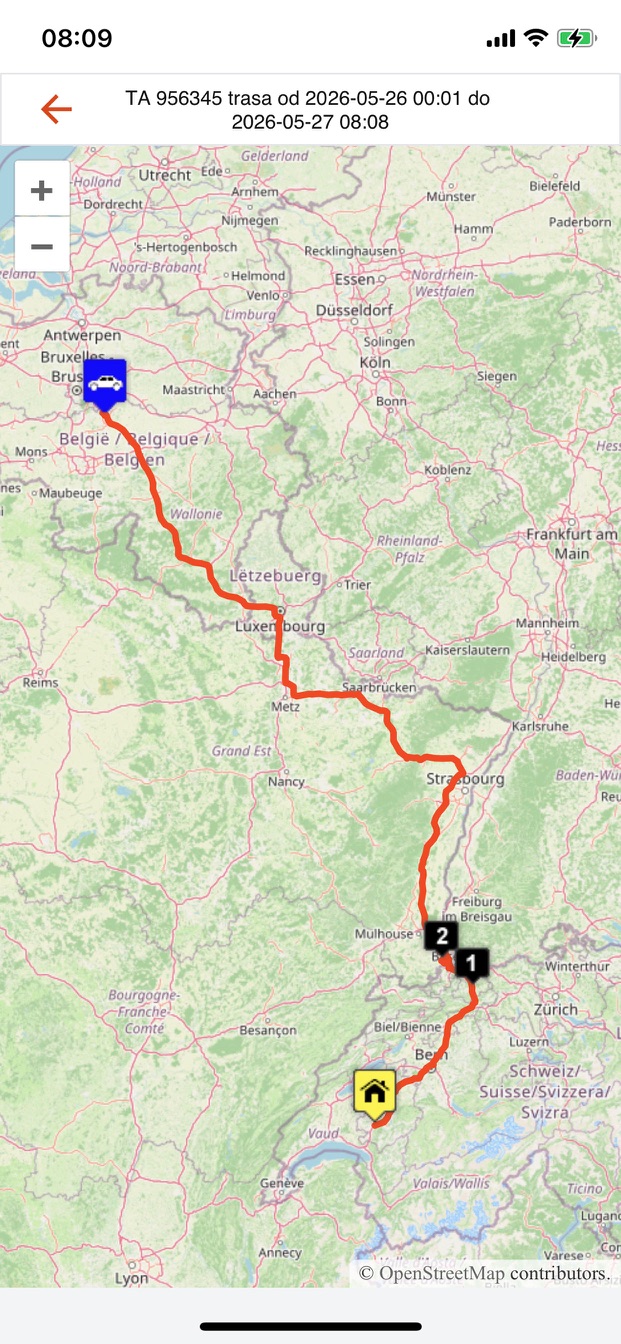
After selecting a vehicle, you see it on the map with the last section of its route, and below the map: address, coordinates, time of last update, and vehicle data. The buttons allow you to show the route, switch the map to satellite view, and open the location in Google Maps; the counter next to it shows in how many seconds the data will refresh automatically. The route for a selected period is displayed on the map with the start point, subsequent stops, and current location marked.
Routes and stops, daily mileage
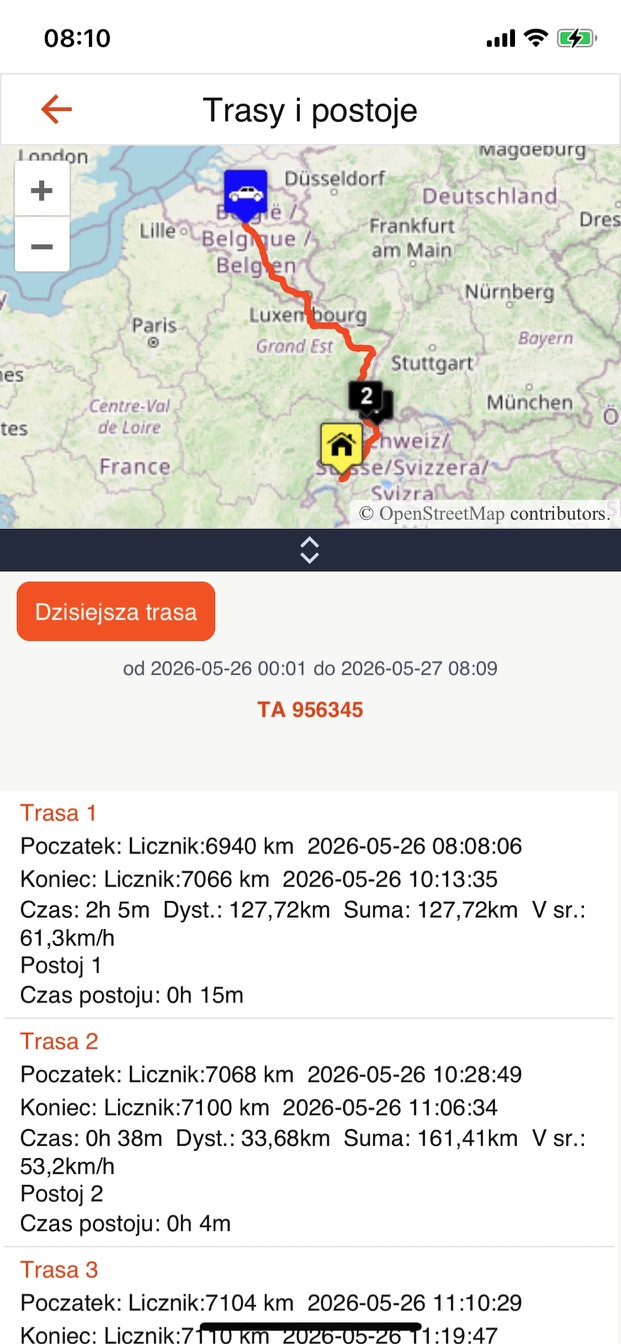
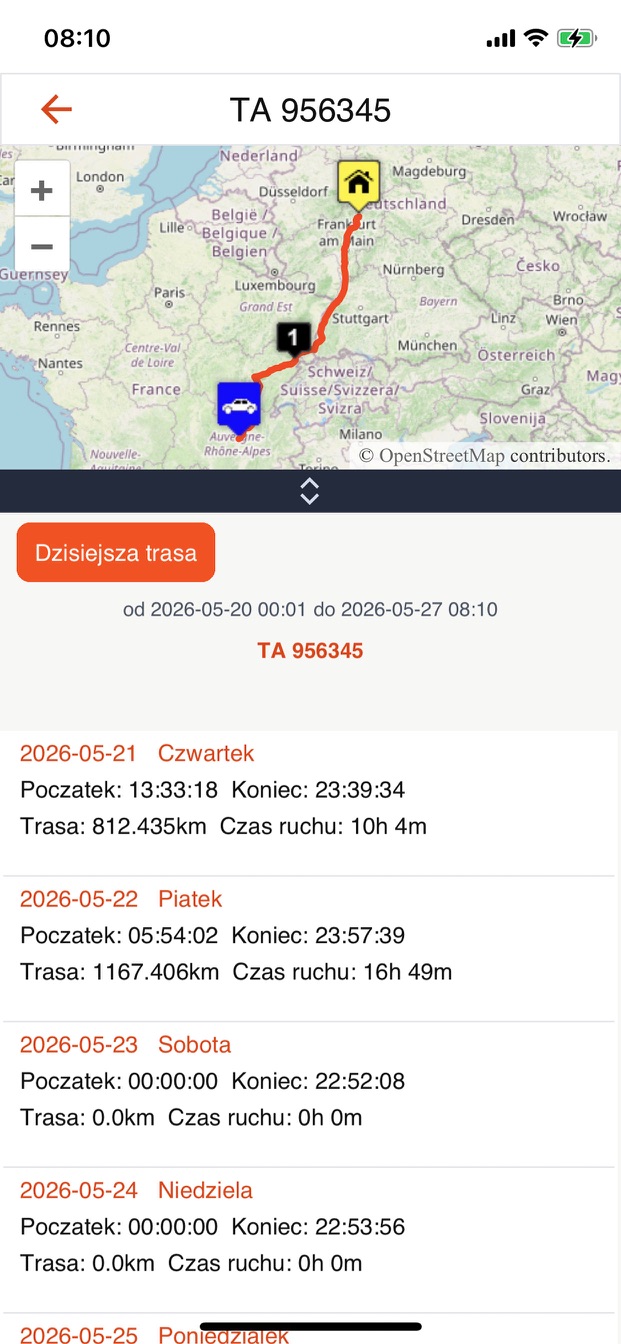
Routes and stops break down the journey into segments: start and end with odometer reading and time, driving time, distance, total kilometres, and average speed, with the duration of each stop between segments. Daily mileage is a day-by-day summary: start and end of vehicle operation, route length, and driving time. The "Today's route" ("Dzisiejsza trasa") button quickly switches to the current day.
Download the application
pTrax is free of charge – you only pay the subscription for vehicle tracking. For drivers, we offer a separate, also free, application pKier (Android).