
This description refers to the previous version of the application – the screens may look different from the current ones.
Setting up alerts from a monitored vehicle
Vehicle monitoring is not only about checking where a vehicle is, how fast it is moving, or how long it is parked. This aspect of control is a given. Additionally, one of the most important parameters every fleet manager monitors is fuel. In this article, we will explain how you can monitor this parameter using our GPS tracking software. We will present the aspect of control through SMS and email notifications about sudden changes in fuel level, i.e. refuelling and fuel drops.
Before proceeding with this configuration, it is important to know that for the described notifications to work, a mL300-CAN GPS tracker must be installed in the vehicle.
This device has the required inputs for reading the CAN bus or for reading voltage levels. To start configuring fuel level alerts, you should:
Log in to the system
Menu > Sensors > Analogue – Fuel in tank and voltage > Fuel level and voltage alerts (Menu > Czujniki > Analogowe - Paliwo w zbiorniku i napięcia > Alerty poziomu paliwa w zbiornikach i poziomu napięcia)
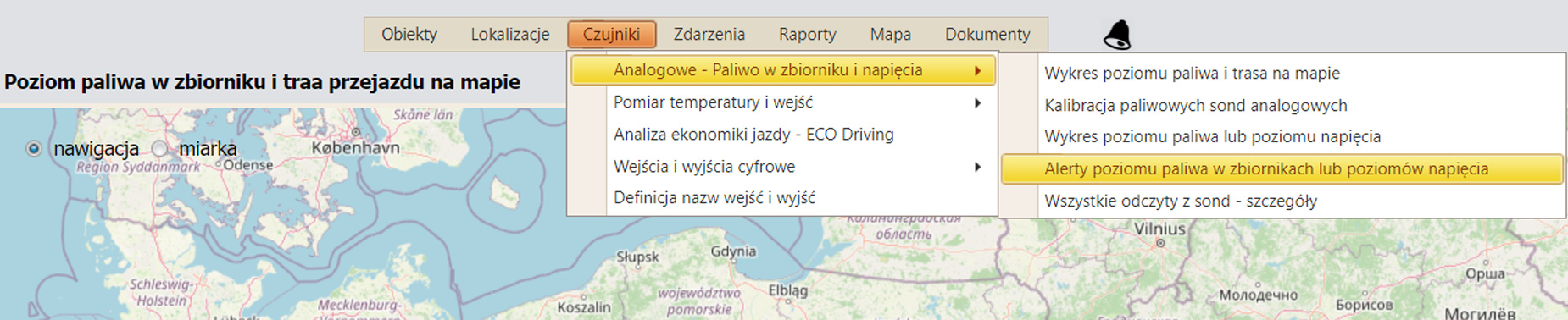
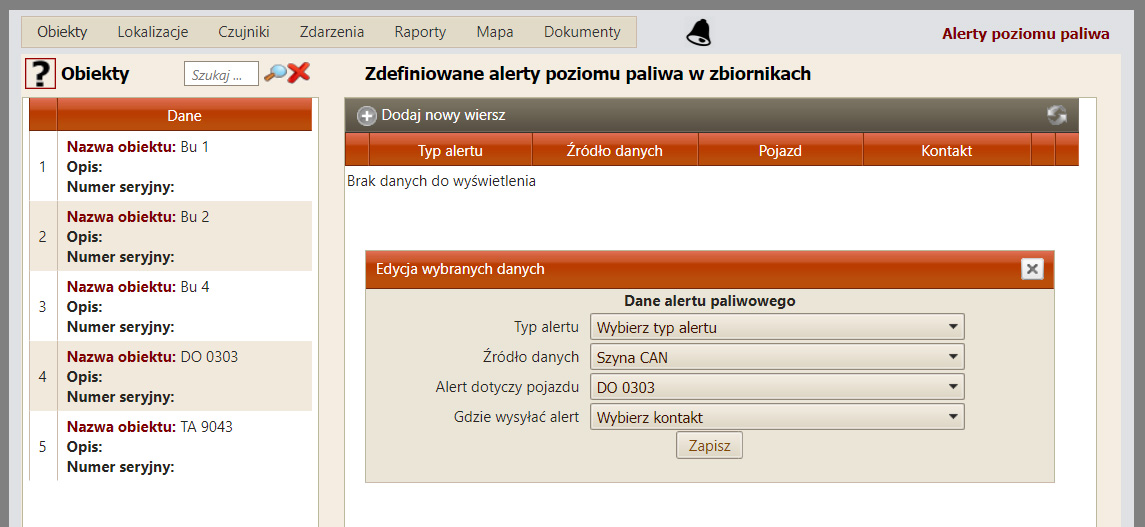
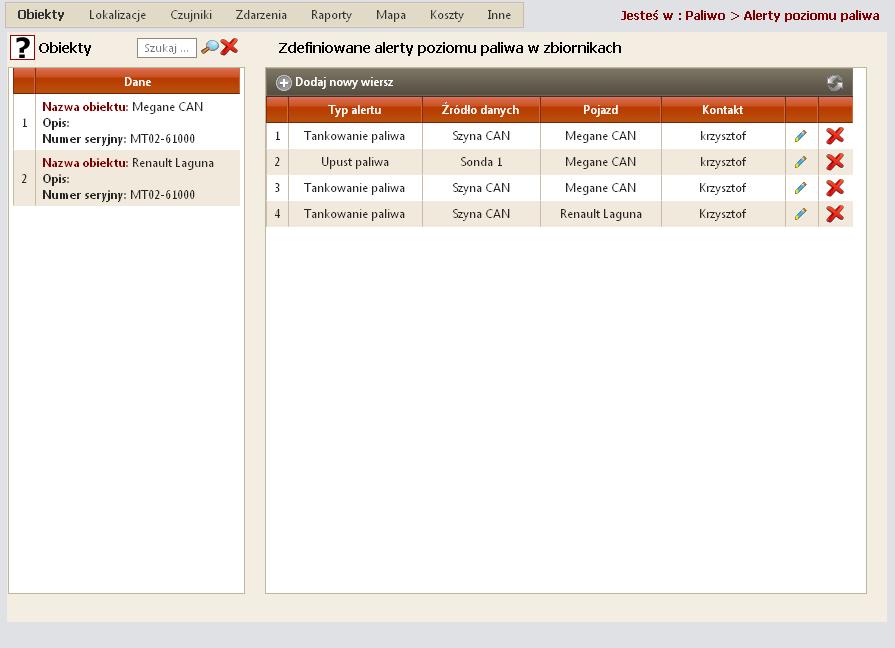
In the table that appears after entering this page, there is space for information about configured notifications on the right-hand side, and on the left-hand side is the list of vehicles. To add a new alert, click the "Add new row" ("Dopisz nowy wiersz") link. At this point, an editing form will appear. Of course, before adding a new alert, you must enter the appropriate contacts into the system. These are the contacts to which the system will send SMS or email notifications. The article describing how to add a contact can be found here.
After clicking the edit icon on the right-hand side of each line, an editing window will appear. Here you can change the GPS tracker's operating parameters in terms of working time – days of the week and hours.
You should set the following in sequence:
- Type of alert – refuelling or fuel drop
- Data source – CAN bus or fuel level probe
- Alert applies to vehicle – select the vehicle from the list
- Where to send the alert – specify the phone number for SMS or email address
Once these settings are saved, they will appear in the table on the list. If you plan to monitor both refuelling and fuel drops, you need to create two alerts for one vehicle: one for refuelling and another for fuel drop. Our vehicle tracking software sends SMS messages free of charge. This means you can receive any number of notifications without limits as part of your server access.