
This description refers to the previous version of the application – the screens may look different from the current ones.
Configuration and operation of SMS notifications
Our Monitoring-GPS.net application offers a range of useful features. One of them is the ability to notify about vehicle movement and stops via SMS (PLN 0.09 + VAT per message). This article explains how to configure such notifications. Before we move on to the configuration, a few words about the movement and stop detection algorithm. Our GPS trackers continuously read geographical position data. The built-in algorithm compares consecutive readings and, based on this, determines whether the vehicle is moving or stationary. No information from the vehicle's electrical system is required for this. This is a very convenient method and allows for easy installation of the GPS tracker in the vehicle. It is not necessary to connect an additional input "behind the ignition" ("za stacyjką") to determine whether the engine is running.
To configure SMS notifications, log in to the system:
Go to Menu > Objects > GPS tracker configuration (Menu > Obiekty > Konfiguracja lokalizatorów GPS)
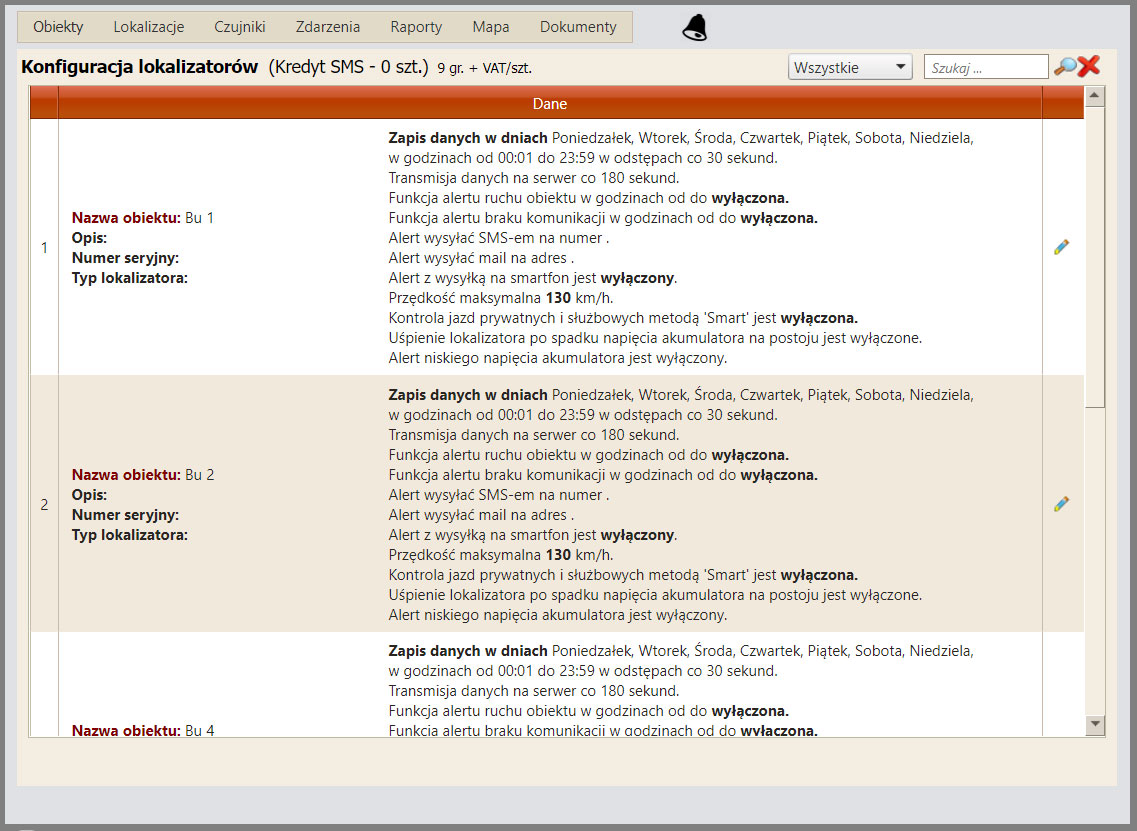
The screen that will now be displayed can be seen below. Here, you can see a list of vehicles and their configuration.
Next, after clicking the Edit icon  located on the right side of each row, an editing window will appear.
You will now see the active editing window "Edit selected data" ("Edycja wybranych danych").
There are many parameters here, but for now we will focus only on SMS notifications. It is possible to set notifications for one phone number.
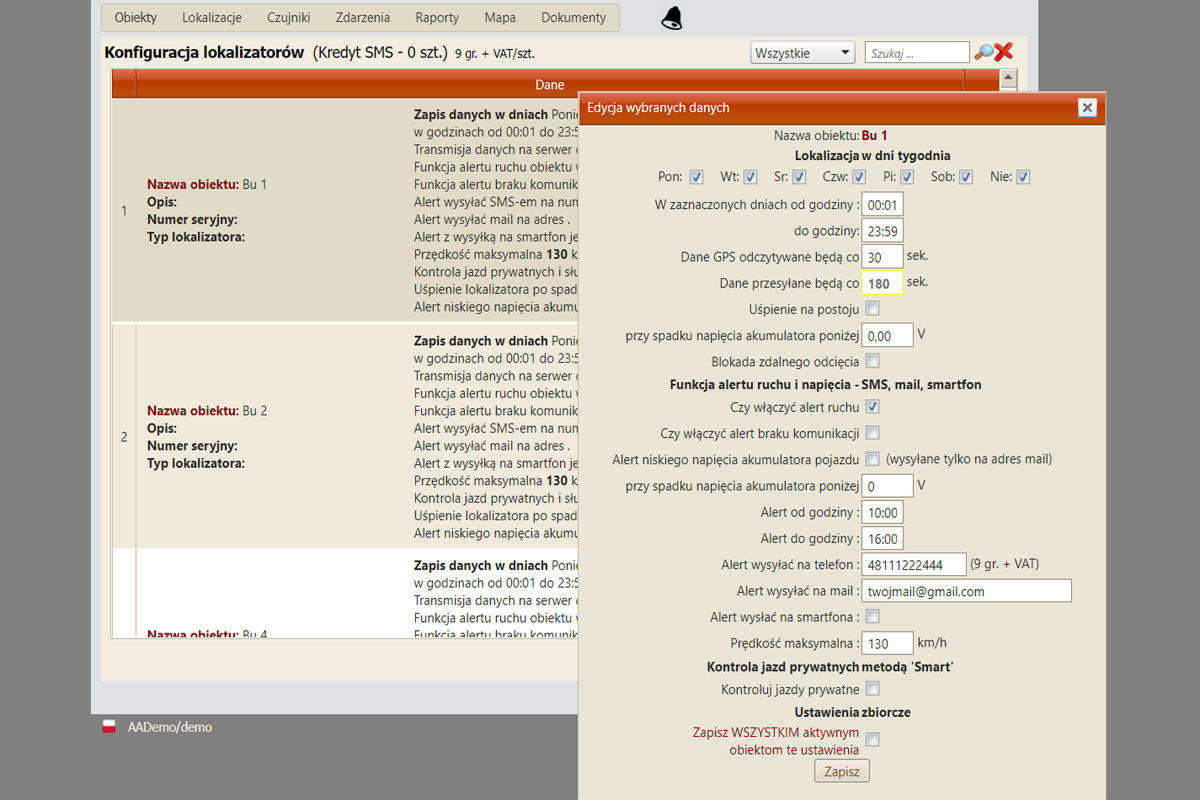
It is possible to set notifications for one phone number. In the centre, there is a section called "Movement and voltage alert function – SMS, e-mail, smartphone" ("Funkcja alertu ruchu i napięcia - SMS, e-mail, smartfon"). This is where these functions are configured. Description of each field in order:
- Whether the movement alert function is active
- Whether to enable the communication loss alert
- Vehicle battery low voltage alert
- From what time SMS sending should be active
- Until what time SMS sending should be active
- To which number SMS messages should be sent
- To which e-mail address the message should be sent
- Smartphone alert
Once these functions are set, the system will send an SMS if the vehicle starts moving or stops within the specified hours. To disable this function, simply untick the "Enable movement alert" ("Czy włączyć alert ruchu") field. The remaining fields may remain filled in. This feature is extremely useful. It has already alerted our clients many times that their vehicle was being stolen. In such cases, a quick call to the police and information about the vehicle's location enabled its swift recovery.