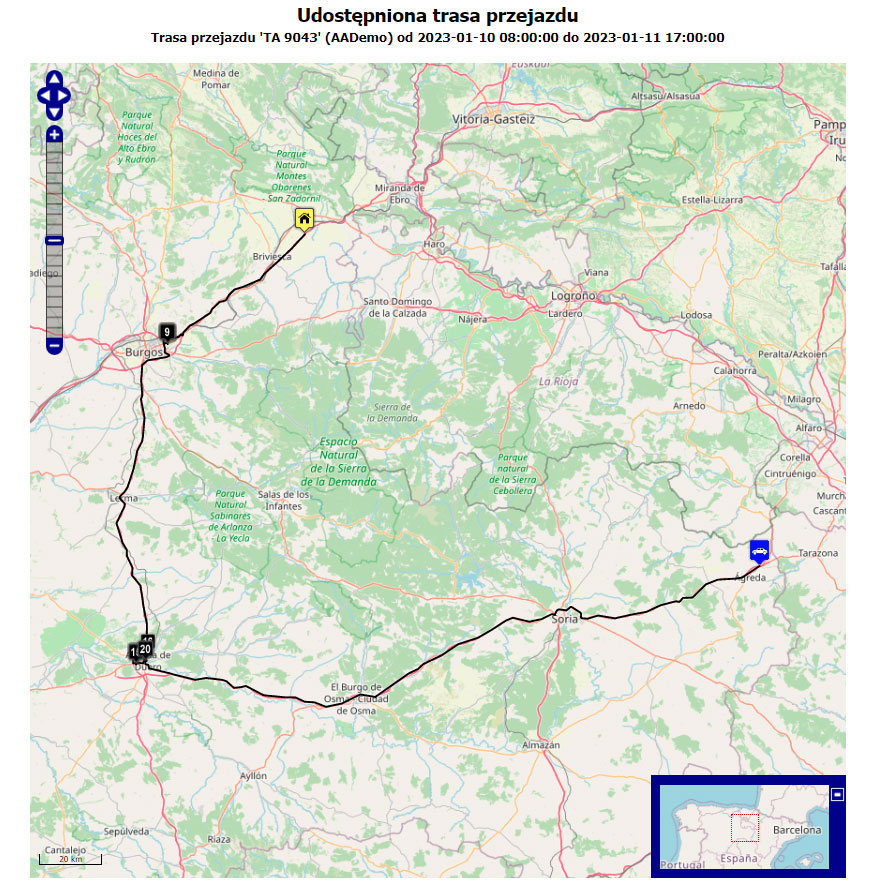
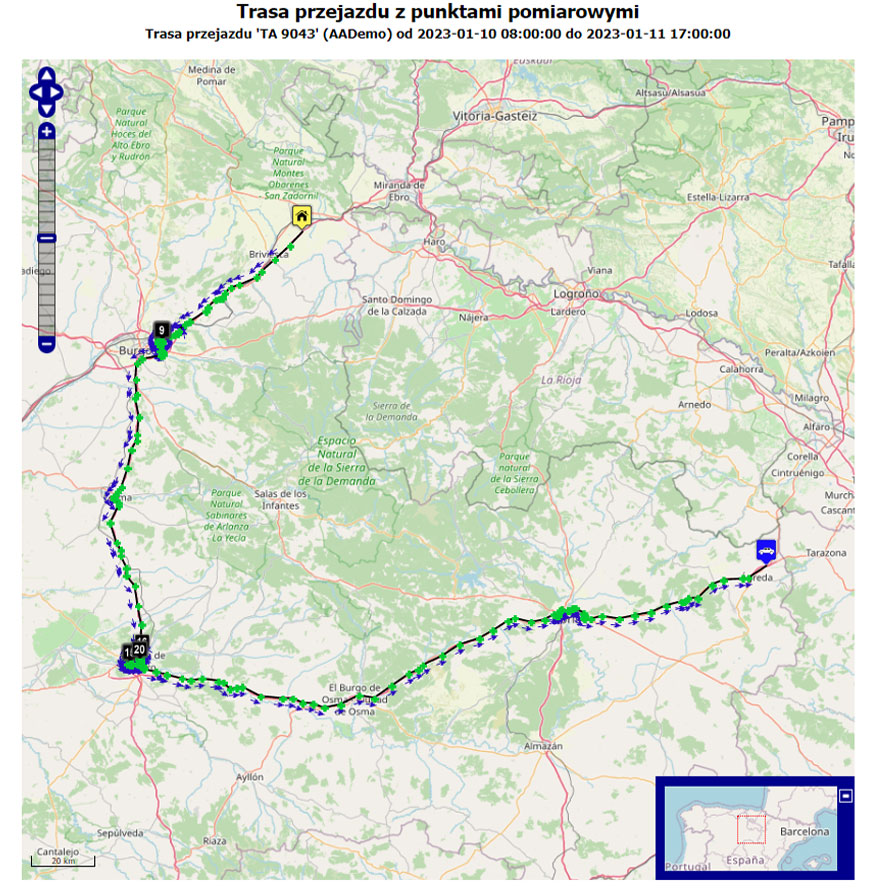
This description refers to the previous version of the application – the screens may look different from the current ones.
Our system offers the ability to generate a view of a specific route. This makes it easy to share a vehicle's journey. In this article, we will explain how to do this.
To access this report, first log in to the system, then go to:
Menu > Locations > Completed object locations on the map > Detailed view 
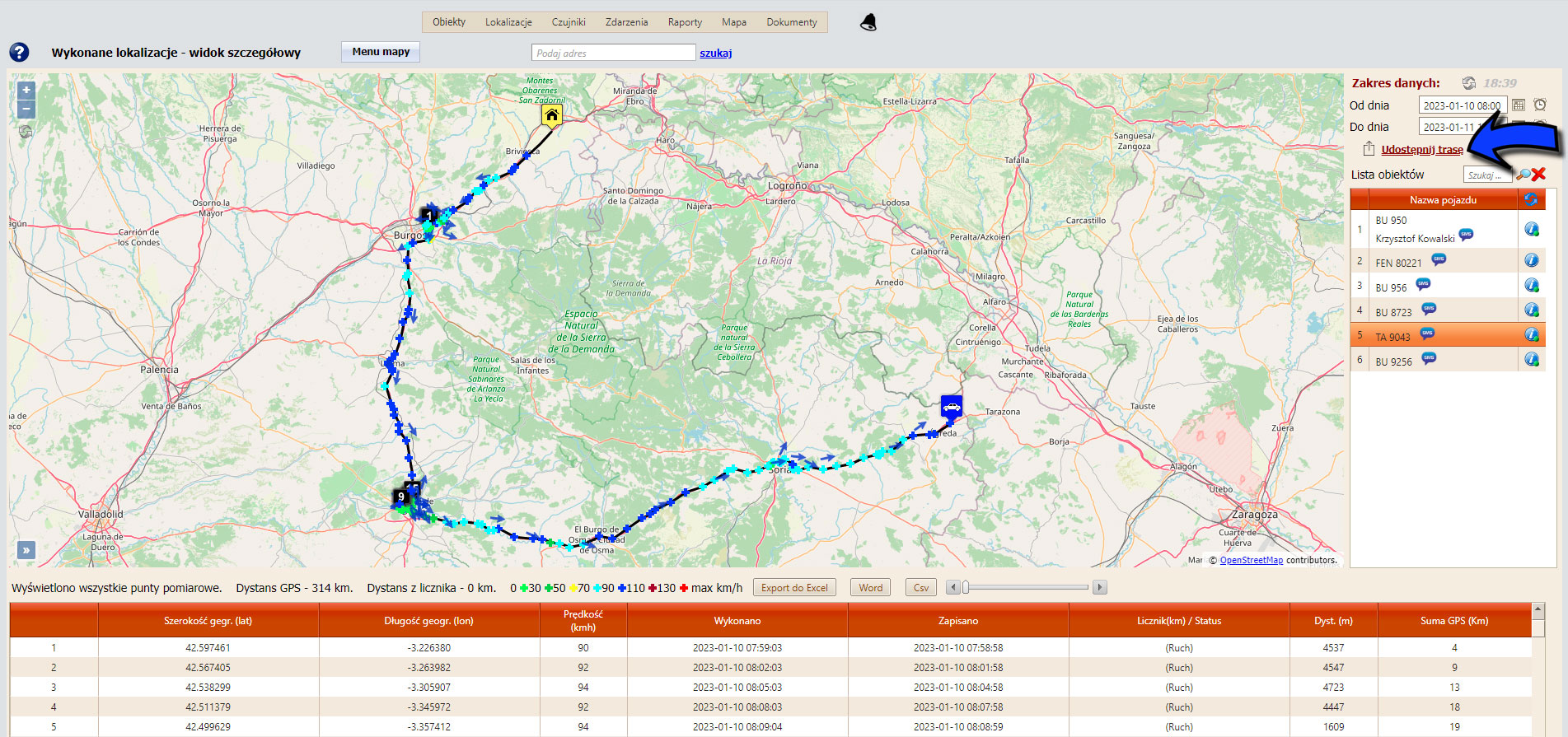
Select the time range and the object you are interested in, then click the "show vehicle data" ("pokaż dane pojazdu") icon.

You can now preview the desired route and generate it by clicking the "share route" ("udostępnij trasę") icon.
As you can see, two links have been generated to share the vehicle's route.
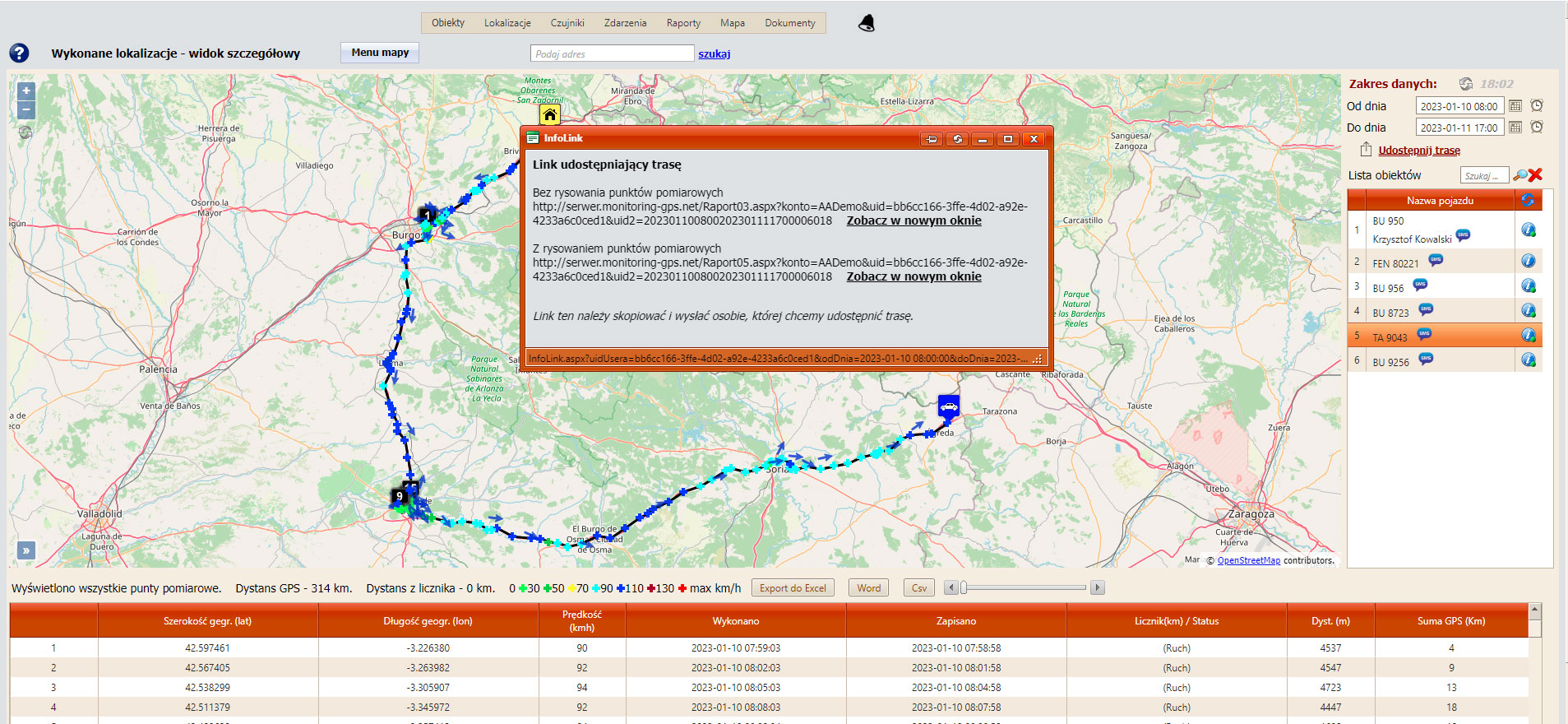
The selected link can be copied, shared, or used to generate a map for viewing the route and data.
Depending on your choice, the following maps are generated:
Map 1. Shared route without measurement points
Map 2. Route with measurement points